
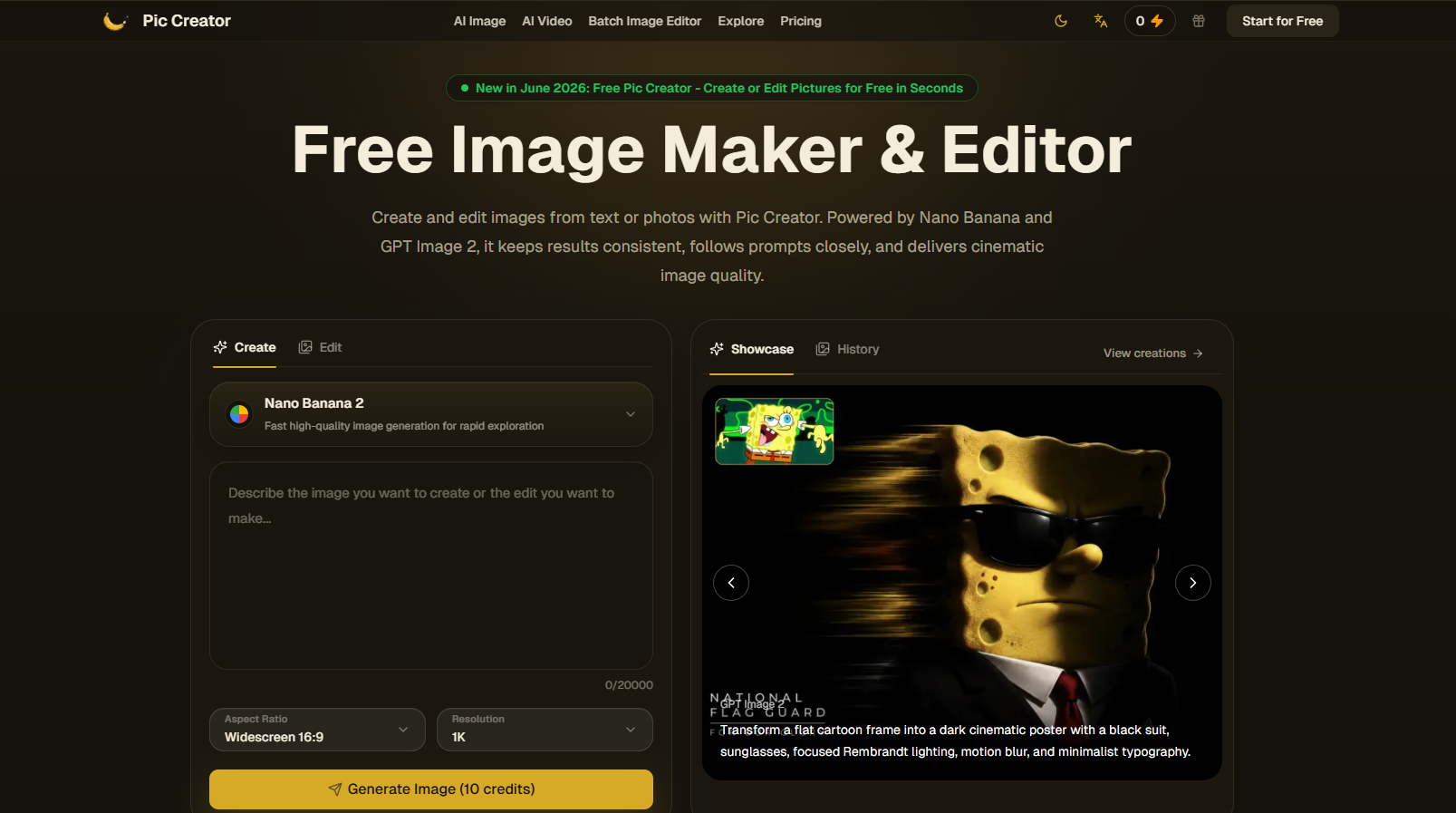
About Pic Creator AI
What is Pic Creator AI?
Pic Creator AI is a powerful tool designed to enhance your visual content creation process. It offers a range of features that allow users to quickly produce polished visuals, making it ideal for various applications such as photo enhancement, object cleanup, and UI mockups. With Pic Creator AI, you can create stunning images in a fraction of the time it would typically take.
The platform provides several key functionalities, including:
Portrait Photo Editing: Retouch and transform portrait photos with AI, allowing for adjustments to skin, expressions, and backgrounds in just one click.
AI Product Photography: Generate high-quality product shots without the need for a photoshoot, creating on-model fashion imagery that can boost conversions significantly.
Social Media Visuals: Design eye-catching social media posts and banner ads quickly, with automatic resizing and styling for various platforms.
Background Swap: Erase unwanted objects and replace distracting backgrounds with pixel-level precision.
Personalized Ad Creatives: Generate tailored ad variations for different audiences and regions, optimizing product imagery for various marketing channels.
UI/UX Mockups: Create clean wireframes and app screenshots rapidly, streamlining the design iteration process.
Pic Creator AI Features
Pic Creator AI offers a range of powerful features designed to enhance visual content creation. With capabilities such as background swapping, inpainting, and outpainting, users can erase unwanted objects, replace distracting backgrounds, or extend their canvas with pixel-level precision. This tool is particularly useful for generating personalized ad creatives, allowing users to create hundreds of ad variations tailored to different audiences and regions.
Additionally, Pic Creator AI excels in UI/UX mockups, enabling the rapid creation of clean wireframes, app screenshots, and vector-style graphics directly in the browser. The portrait photo editing feature allows for quick retouching, relighting, and transformation of images, making it easy to adjust skin tones, expressions, and backgrounds with just one click. Furthermore, the AI product photography capability generates studio-quality product shots without the need for a photoshoot, significantly boosting conversion rates.
Background swap and object removal with pixel-level precision
Personalized ad creatives for various audiences
Fast UI/UX mockup creation
One-click portrait photo editing
Studio-quality product photography without a photoshoot
Why Pic Creator AI?
Pic Creator AI offers a range of benefits that make it an essential tool for anyone looking to enhance their image creation and editing process. With its ability to generate studio-quality product shots without the need for a photoshoot, users can create on-model fashion imagery and lifestyle product variations that significantly boost conversions by up to 60%. Additionally, the platform allows for the generation of hundreds of personalized ad variations tailored to different audiences and regions, making it a powerful asset for marketing campaigns.
Some key advantages of using Pic Creator AI include:
Ultra-fast image generation, enabling quick testing and iteration of ideas.
Access to multiple leading AI models in one plan, reducing costs compared to individual subscriptions.
Stable and reliable quality across various prompts and styles, ensuring consistent results.
How to Use Pic Creator AI
Getting started with Pic Creator AI is simple and intuitive. First, you can upload a photo or start from scratch by typing a text prompt describing the image you want to create. This allows you to specify the look, changes, or scene you envision.
Once you have your image or prompt ready, click on the "Generate" button. Pic Creator AI will analyze your input and produce a polished result with consistent details and accurate text. After generating the image, you can preview it, make any necessary edits, and then download it for use in social media posts, product visuals, designs, or any other project.
Upload a photo or enter a text prompt.
Click "Generate" to create your image.
Preview, edit, and download your final image.
Ready to see what Pic Creator AI can do for you?and experience the benefits firsthand.
Key Features
How to Use
Visit the Website
Navigate to the tool's official website.
Pros & Cons
What's good
What's not good
Pricing
- 20 credits free
- Handle 1 task at a time
- Doesn't support batch image editor
- Limited support
- Support batch image editor
- Enterprise support
- Unlimited projects