
- Pricing
- Freemium
- Free, Week Subscription, Month Subscription
- Added
- Feb 06 2024
About Navi
Navi is an app for iPhone, iPad, Mac and Apple Vision that adds live subtitles and translation to face-to-face conversations. It transcribes what people nearby are saying and shows the words as captions, overlaid on the real world on Apple Vision. Navi is aimed in particular at people who are deaf or hard of hearing, and at anyone talking with someone who speaks a different language.
Navi listens through the microphone and turns speech into captions. Nearby devices running Navi can connect directly, and captions from one device appear on the other instantly. With live translation, incoming subtitles in another language are translated into the user's own language and can be spoken aloud. Both devices in a conversation need an active subscription to use the translation feature.
Live translation covers languages including Chinese, English, French, German, Japanese, Korean, Spanish, Russian, Turkish and Ukrainian, along with many other European languages. Version 3.0.1 adapts Navi to the iPhone Duo, with layouts for closed and unfolded use: captions appear side by side for each speaker when there is room, microphone and language controls adjust to the available space, and captions reflow at larger text sizes.
Navi is free to use without translation. Unlimited translation needs a subscription, priced at $3.99 a week or $8.99 a month, renewing automatically unless turned off at least 24 hours before the period ends. Navi requires iOS 17.0 or later on iPhone, iPadOS 17.0 on iPad, macOS 14.0 on Mac and visionOS 1.1 on Apple Vision. Its interface is available in English, French, German, Japanese and Simplified Chinese.
Use cases
- Following spoken conversations as a deaf or hard-of-hearing person
- Talking with someone who speaks a different language
- Showing captions on the other person's device during a conversation
- Reading captions overlaid on the surroundings while wearing Apple Vision
- Following several speakers at once on a wider screen
Key features
- Live subtitles for in-person conversations
- Captions overlaid on the real world
- Captions shared directly to nearby devices running Navi
- Live translation of incoming subtitles
- Spoken translation in the user's language
- Side-by-side captions for each speaker
- Captions that scroll and reflow at larger text sizes
- Layouts for folded and unfolded iPhone Duo
Pros and cons
Pros
Cons
Pricing
- Subtitles and captions without translation
- Unlimited translation
- Unlimited translation
Reviews
Frequently asked questions
Is Navi free?
Do both people need a subscription for translation?
How much does Navi translation cost?
Which languages does Navi translate?
Who is Navi for?
What data does Navi collect?
Alternatives to Navi
More in Captions or Subtitle
SubsVideo
SubsVideo déchiffre les nouveautés de l’IA créative (vidéo, image, voix, musique) et teste les outils, avec tutos et actus.

ToText
ToText transcribes uploaded audio and video into editable, timestamped text with speaker labels, AI summaries and subtitle or document exports.

Caption Remover
Caption Remover is an AI tool that erases burned-in captions from short MP4 or MOV clips, either automatically or inside one selected area.

LyricVideoMaker
LyricVideoMaker turns a song into a beat-synced lyric video, transcribing lyrics with AI and generating visuals for YouTube, TikTok and Reels.
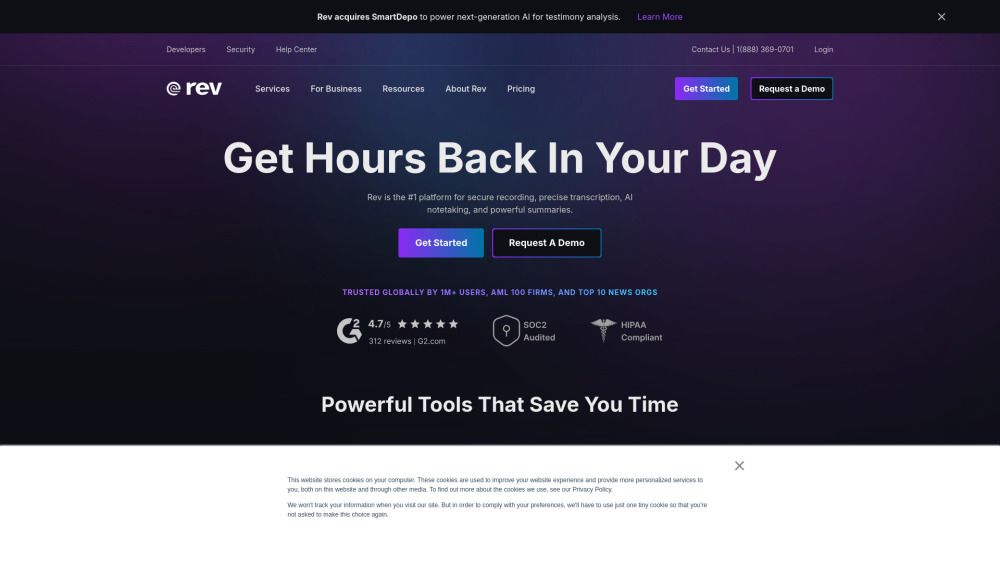
Rev
Rev is a leading transcription service that combines advanced AI technology with human expertise to deliver accurate and secure speech-to-text solutions across various industries. With a strong focus on confidentiality and HIPAA compliance, Rev ensures that sensitive information is protected while providing users with the ability to search, cite, and share transcripts with confidence. Its unique value lies in the ability to maintain high accuracy without sacrificing speed, making it an essential

Maestra
Maestra is an AI-powered media localization platform for transcription, subtitling, dubbing, and translation across 125+ languages, available on uploaded files or in real time.