
- Monthly visits
- 12.3K
- Rating
- 5.0 / 5
- 2 Reviews ratings
- Company
- Kumoo
About Kumoo
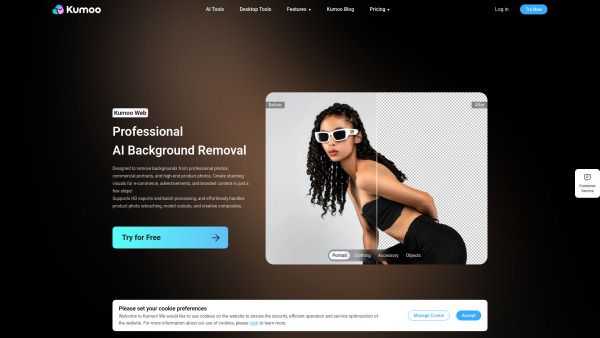
Kumoo is an AI portrait retouching solution for photographers, retouchers, and studios, backed by Meitu’s imaging expertise for natural, consistent results. It enables batch edits, keeps faces natural, and prepares photos for delivery without hours spent at the screen.
Kumoo began in 2022 as part of Meitu and evolved from Meitu Yunxiu. It aims to handle repetitive edits without removing the judgment that makes a photo look right, offering a workflow that moves from shoot to delivery.
Kumoo mixes a sense for how portraits should look with studio file handling: less time on the same clicks, more time on the choices that are actually yours, while preserving natural skin tones and consistency across a set.
Kumoo is designed for photographers, studios, and retouchers who process hundreds of images weekly, providing presets and batch tools to maintain a consistent look from the first photo to the last.
Use cases
- Batch portrait retouching for photographers and studios
- High-volume editing of wedding, portrait, and e-commerce images
Key features
- Auto Select to sort first pass and speed up reviews
- Color Grading to apply visual direction across a batch
- Portrait Retouch for skin, glare, and distractions
- Backdrop Touchup to improve or replace backdrops
- Apply in Batch to read light and color and adjust intelligently
- Batch workflow to handle full galleries
Pros and cons
Pros
Reviews
Frequently asked questions
What is Kumoo designed for?
Can I batch edit many photos at once?
What file formats are supported?
Can I try Kumoo before purchasing?
Where can I use Kumoo?
Alternatives to Kumoo
More in AI Photo Editor
SnapMerge
SnapMerge combines 2 to 3 similar group photos into one best take, using each person's best real expression to fix blinks and turned faces.

Image to Claymation
Image to Claymation is an AI image editor that turns photos of people, pets, products and places into stop-motion style clay artwork.

Stylize Image
Stylize Image is a browser-based AI photo editor that applies art styles, colorizes old photos, removes backgrounds and upscales images for creators.

AI Hairstyle
AI Hairstyle lets people try more than 1,000 real hairstyles on their own photo to preview a haircut or hair color before a salon or barber visit.

Banana AI
Banana AI is a browser studio for creating and editing images with Nano Banana models and turning them into Veo 3 videos for marketing teams.

AI Image Cleaner
AI Image Cleaner is a browser tool that removes people, objects, text and watermarks from photos by painting a mask that AI inpainting fills.