About Image to Image Ai lab
What is Image to Image Ai lab?
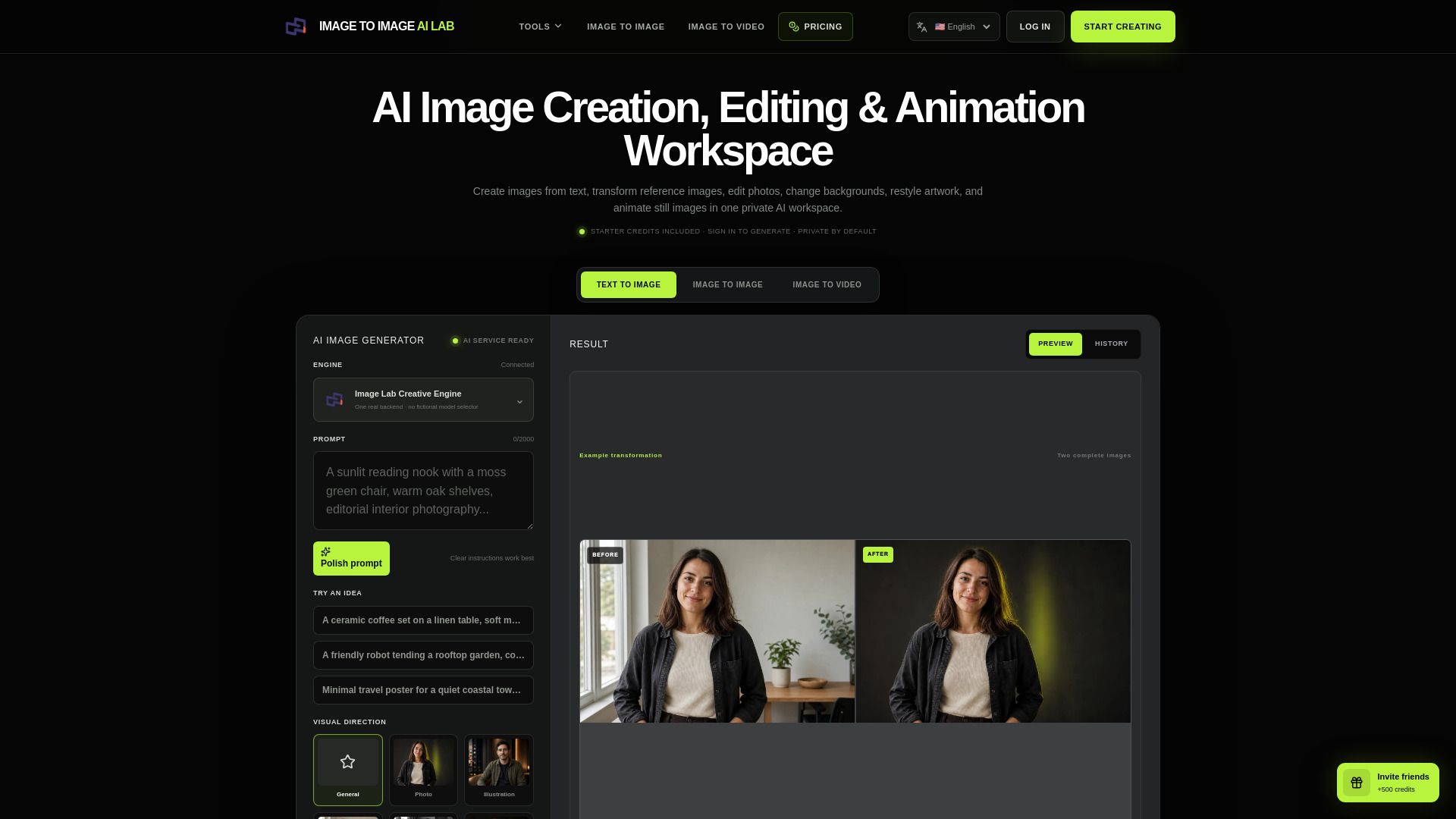
Image to Image AI Lab is an innovative AI image and video workspace designed to facilitate various creative processes. It specializes in text-to-image generation, allowing users to create images from textual descriptions. Additionally, it offers reference-guided image editing, enabling users to modify images based on specific references, and provides features for restyling and background changes.
Furthermore, the platform supports image-to-video transformations, making it a versatile tool for artists, designers, and content creators. With its user-friendly interface and advanced AI capabilities, Image to Image AI Lab empowers users to explore their creativity and produce high-quality visual content.
Image to Image Ai lab Features
The Image to Image AI Lab is a specialized workspace designed for creating, editing, restyling, and animating images using artificial intelligence. It offers a variety of tools that cater to different image manipulation needs, ensuring that projects remain private by default.
Key functionalities of the Image to Image AI Lab include:
Text-to-image generation for creating visuals from textual descriptions.
Reference-guided image editing to enhance or modify existing images based on a source reference.
Restyling capabilities to apply new artistic styles to images.
Background changing features to alter the backdrop of images seamlessly.
Image-to-video conversion for transforming static images into dynamic video content.
Why Image to Image Ai lab?
The Image to Image AI Lab offers a focused workspace designed for creating, editing, restyling, and animating images using advanced AI technology. This platform provides a practical interface that connects users to capabilities that can be effectively utilized for various creative tasks. By streamlining the creative workflow, users can easily write prompts, select visual directions, and manage their projects privately.
Some of the key benefits of using Image to Image AI Lab include:
Private account history ensures that uploads and generations remain confidential.
Tools are tailored for practical creative work, with presets and examples designed for everyday tasks.
Simple three-step process for image creation: describe the desired result, choose visual direction, and download the final image.
Access to a shared balance across image and video tools, making it easy to manage resources.
How to Use Image to Image Ai lab
To get started with the Image to Image AI Lab, follow these simple steps to create your first AI-generated image. First, write a prompt that describes the result you want to create. Next, upload a reference image if you have one, and choose the desired direction and size for your output. Finally, follow the result from the queue to download your generated image, which will remain private to your account.
The Image to Image AI Lab offers a practical interface with tools designed for everyday creative and commercial tasks. Here are some key features to help you get started:
Private account history for all uploads and generations.
Dedicated generators for text-to-image, image-to-image, and image-to-video workflows.
Prompt templates and guides to assist in crafting your requests.
Ready to see what Image to Image Ai lab can do for you?and experience the benefits firsthand.
Key Features
How to Use
Visit the Website
Navigate to the tool's official website.