About KiloClaw
What is KiloClaw?
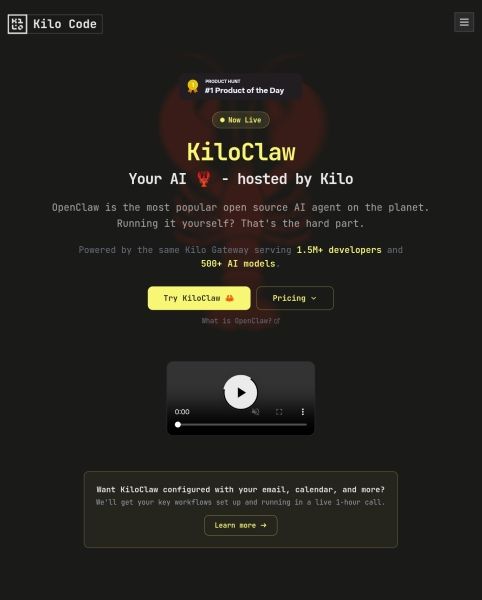
KiloClaw is a production-grade solution for running OpenClaw, developed by the trusted Kilo Code team, which has garnered the support of over 3 million developers. It offers a fully managed infrastructure that eliminates the need for Docker, SSL, or server provisioning, ensuring automated updates, uptime monitoring, and daily encrypted backups. KiloClaw is designed to provide enterprise-grade controls, including SSO/OIDC, SCIM provisioning, centralized billing, and granular model policies.
With KiloClaw, users benefit from a range of features that enhance their development experience:
500+ models available at 0% markup, with no hidden fees or bundled credits.
Kilo CLI pre-installed, providing a coding assistant with full shell access.
Firecracker VM isolation for enhanced security, including AES-256 encrypted credential vaults.
Agent-mediated access only, ensuring no direct SSH connections.
KiloClaw Features
KiloClaw is a production-grade platform designed to run OpenClaw, trusted by over 3 million developers. It offers a fully managed infrastructure that eliminates the need for Docker, SSL, or server provisioning, ensuring automated updates, uptime monitoring, and daily encrypted backups. With KiloClaw, developers can access over 500 models at 0% markup, as every model is routed through the Kilo Gateway at the provider's rate, with no hidden fees or bundled credits.
Key features of KiloClaw include:
Kilo CLI pre-installed, providing a coding assistant with full shell access.
Enterprise-grade controls such as SSO/OIDC, SCIM provisioning, and centralized billing.
Five-layer tenant isolation with Firecracker VM isolation and AES-256 encrypted credential vaults.
Agent-mediated access only, ensuring enhanced security with tool allow-lists and no direct SSH access.
Why KiloClaw?
KiloClaw offers a production-grade solution for running OpenClaw, trusted by over 3 million developers. It provides a fully managed infrastructure that eliminates the need for Docker, SSL, or server provisioning, allowing teams to focus on development rather than maintenance. With automated updates, uptime monitoring, and daily encrypted backups, KiloClaw ensures reliability and security for your applications.
Some of the key benefits of using KiloClaw include:
500+ models available at 0% markup, with no hidden fees or bundled credits.
Kilo CLI pre-installed, providing a powerful coding assistant with full shell access.
Enterprise-grade controls including SSO/OIDC, SCIM provisioning, and centralized billing.
Enhanced security with Firecracker VM isolation and AES-256 encrypted credential vaults.
Agent-mediated access only, ensuring no direct SSH vulnerabilities.
How to Use KiloClaw
KiloClaw is designed to provide a seamless experience for developers looking to utilize OpenClaw. To get started, you can provision your KiloClaw instance in under 5 minutes, allowing you to quickly access its powerful features. The Kilo CLI is pre-installed, giving you full shell access and enabling you to leverage the capabilities of KiloClaw right away.
As you begin using KiloClaw, you can take advantage of its enterprise-grade controls and fully managed infrastructure. This means you won't have to worry about Docker, SSL, or server provisioning, as KiloClaw handles automated updates, uptime monitoring, and daily encrypted backups for you.
Access to 500+ models at 0% markup, with no hidden fees.
Agentic coding assistant for enhanced productivity.
Granular model policies and usage analytics for better control.
Five-layer tenant isolation for improved security.
Ready to see what KiloClaw can do for you?and experience the benefits firsthand.
Key Features
How to Use
Visit the Website
Navigate to the tool's official website.
Pros & Cons
What's good
What's not good
Pricing
- 1-day free trial with no credit card required
- Dedicated Firecracker VM with persistent encrypted storage
- 500+ AI models via Kilo Gateway (pay-as-you-go, 0% markup)
- Automated updates, monitoring & daily backups
- Cancel anytime