- Pricing
- Freemium
- Free, Starter, Advanced, Ultimate
- Company
- Dot Copilot
- Added
- Feb 17 2025
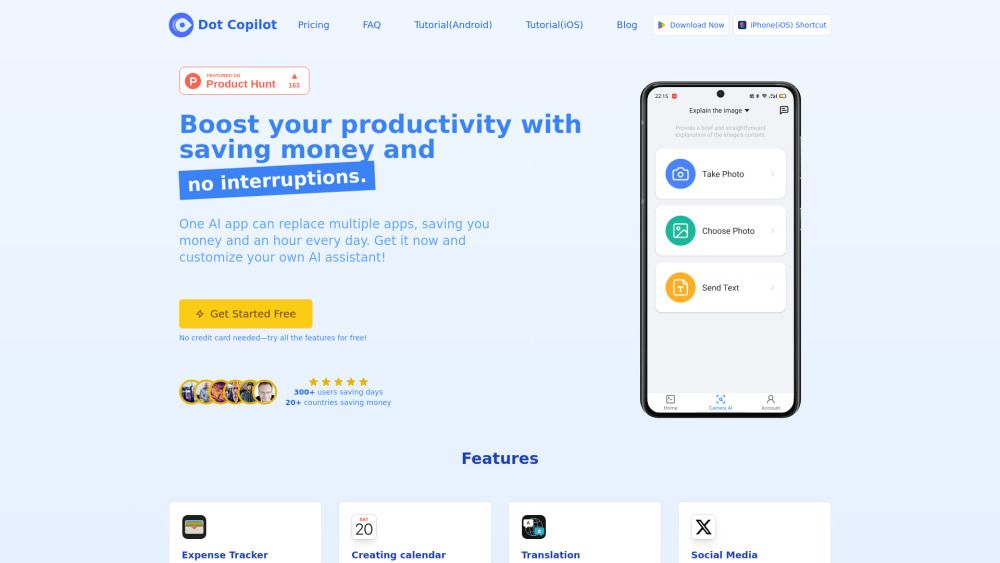
About Dot Copilot
Dot Copilot is an AI assistant for Android and iPhone. It helps users recognize text and image content on their screens and perform tasks like adding events, creating to-do lists, translating content, and summarizing pages. The tool aims to be accessible to individual users looking to streamline daily tasks through an on-screen assistant that interacts with common apps and data sources. It emphasizes ease of use with features that can be activated by tapping and interacting with the screen. The product description stresses a focus on productivity and integration across apps like Calendar, Google Sheets, and various messaging platforms.
Dot Copilot operates by identifying information from on-screen content and chats, then performing actions such as calendar entry creation, expense tracking, or translation. It presents an approach where information is pulled from chats or screen content and converted into practical outputs within native apps.
Dot Copilot lists several core capabilities: extracting expense data and syncing to Google Sheets, creating calendar events from chats, translating on-screen text, generating social media comments, helping reply to messages, summarizing web pages, pulling to-dos from chats or screenshots, and creating custom commands. It positions these features as part of a broader productivity toolset rather than a standalone app, aiming for cross-app convenience and automation.
Dot Copilot outlines its plan for availability and options including pricing tiers and device compatibility. It references availability for iPhone and Android devices, with pricing plans including a free option and paid yearly memberships. It describes the intent to offer different AI models, ongoing feature access, and potential future options.
Use cases
- Extract schedule details from chats and add them to your Calendar app.
- Pull to-dos from chats or screenshots and add them to your Reminders.
- Translate on-screen text or messages from international friends.
Key features
- Expense Tracker — Extract expense data from texts or receipts and sync it to Google Sheets.
- Creating calendar event — Extract schedule details from chats and add them to your Calendar app.
- Translation — Translate on-screen text or messages from international friends.
- Social Media Engagement — Generate engaging comments for Reddit, LinkedIn, X (Twitter), and Facebook.
- Chat Assistance — Get help replying to chats on WhatsApp, Telegram, Line, and more.
Pros and cons
Pros
Pricing
- GPT-4o-mini model
- 5 requests valid for one day
- Basic text extraction
- Track expenses with Google Sheet
- Translate on-screen content
- Extract calendar from screen
- Extract to-do list from screen
- Summarise the page or screen
- Custom Commands and Actions
- Custom private data for AI
- Supports multiple languages
- No visual comprehension
- Core features access
- No technical support
- GPT-4o-mini model
- 1000 requests valid for one year
- Enhanced text extraction
- Track expenses with Google Sheet
- Translate on-screen content
- Extract calendar from screen
- Extract to-do list from screen
- Summarise the page or screen
- Custom Commands and Actions
- Custom private data for AI
- Supports multiple languages
- No visual comprehension
- Core features access
- Priority support
- GPT-4o model
- 1000 requests valid for one year
- Premium text extraction
- Track expenses with Google Sheet
- Translate on-screen content
- Extract calendar from screen
- Extract to-do list from screen
- Summarise the page or screen
- Custom Commands and Actions
- Custom private data for AI
- Supports multiple languages
- Superior visual comprehension
- Early access to new features
- 24/7 premium support