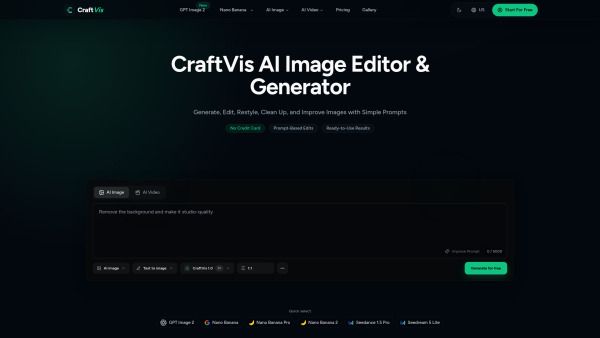
About CraftVis AI Image Editor
What is CraftVis AI Image Editor?
CraftVis AI Image Editor is a powerful tool designed to help users improve or transform existing images using simple text instructions. Unlike traditional photo editors that require complex manual steps, CraftVis allows users to describe the changes they want, making the editing process faster and more intuitive. This innovative approach enables users to go from rough ideas to polished visuals with minimal trial and error.
The AI Image Editor supports a variety of image types, including product photos, portraits, and social graphics, and offers targeted editing capabilities. Users can easily request specific changes, such as removing backgrounds, adjusting colors, or enhancing details, all while maintaining the integrity of the original image.
Upload your image and choose the one you want to improve.
Describe the desired changes in plain language.
Download and compare the edited versions to select the best fit for your needs.
CraftVis AI Image Editor Features
The CraftVis AI Image Editor revolutionizes the image editing process by allowing users to describe the changes they want in plain language, making it significantly faster and easier than traditional photo editors. Unlike conventional tools that rely on layers and manual adjustments, CraftVis streamlines the workflow, enabling users to upload an image, specify the desired edits, and download the improved result with minimal effort.
With CraftVis, users can perform targeted edits on specific parts of an image, such as replacing backgrounds, changing colors, or removing distracting objects. This capability allows for a more focused approach to image enhancement, ensuring that the main composition remains intact while making necessary adjustments. The AI Image Editor is designed to be user-friendly, catering to both experienced designers and non-designers alike.
Upload various types of images including product photos, portraits, and social graphics.
Describe edits in simple terms, such as brightening scenes or cleaning up details.
Compare edited versions and select the best fit for your needs.
Create multiple variations from a single source image for diverse applications.
Eliminate the intimidation of complex editing processes with straightforward commands.
Why CraftVis AI Image Editor?
The CraftVis AI Image Editor offers a streamlined approach to image editing, making it accessible for both designers and non-designers. By simplifying the workflow into three easy steps—uploading an image, describing the desired changes, and downloading the result—it allows users to enhance their visuals quickly and efficiently. This ease of use is particularly beneficial for those who may find traditional editing tools intimidating or overly complex.
Some key advantages of using the CraftVis AI Image Editor include:
Ability to improve images without starting from scratch, preserving the original concept.
Targeted edits that allow users to fix specific elements without remaking the entire image.
Creation of multiple variations from a single source image, saving time and effort.
Intuitive interface that eliminates the need for layers and masks, making editing less daunting.
How to Use CraftVis AI Image Editor
Getting started with the CraftVis AI Image Editor is simple and user-friendly, making it accessible for beginners and non-designers alike. To begin, upload the image you want to enhance, whether it's a product photo, graphic, or draft. A clear source image will help the AI focus on the important elements while making the changes you request.
Next, describe the specific edits you want in plain language. You can ask the AI to perform tasks such as removing a background, brightening the scene, or changing colors. Once the edits are made, you can compare the edited versions and choose the one that best fits your needs. This streamlined process allows you to create cleaner visuals for various applications, including product pages, social media posts, and presentations.
Upload your image
Describe what to change
Download your result
Ready to see what CraftVis AI Image Editor can do for you?and experience the benefits firsthand.
Key Features
How to Use
Visit the Website
Navigate to the tool's official website.
Pros & Cons
What's good
What's not good
Pricing
- 4000 credits/month
- 60 days cloud storage
- Secure processing
- High-quality image generation
- Priority support
- 10000 credits/month
- 90 days cloud storage
- Secure processing
- High-quality image generation
- Priority support
- 34000 credits/month
- 120 days cloud storage
- Secure processing
- High-quality image generation
- Priority support