About Choladeck
What is Choladeck?
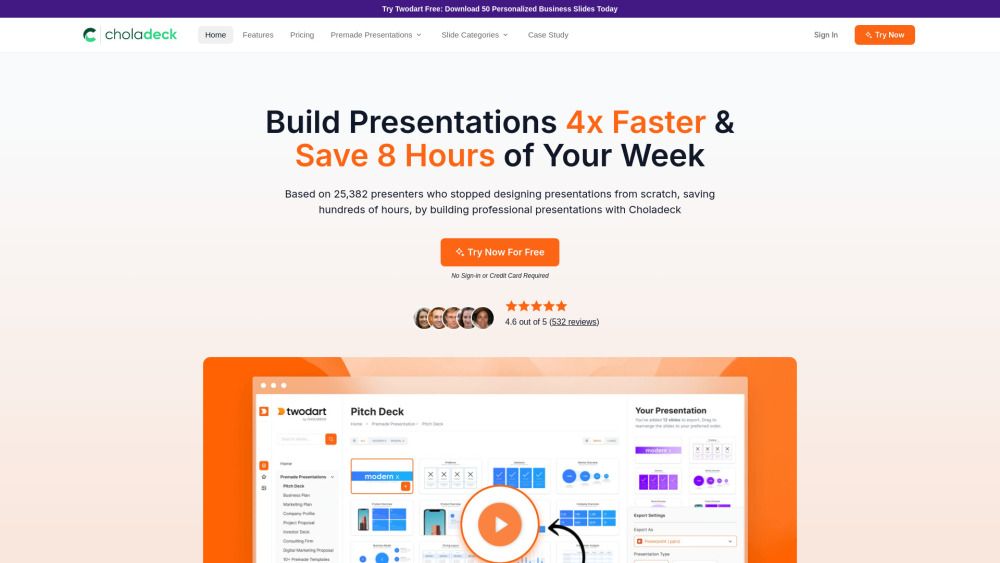
Choladeck is a platform designed to simplify the process of building presentations. It offers a user-friendly interface that allows users to create visually appealing and professional presentations with ease. The platform is tailored for individuals and teams looking to enhance their presentation skills without the steep learning curve typically associated with presentation software.
With Choladeck, users can take advantage of various features that streamline the presentation creation process, including customizable templates, drag-and-drop functionality, and collaborative tools that enable real-time editing and feedback. This makes it an ideal choice for educators, business professionals, and anyone in need of effective presentation solutions.
User-friendly interface for easy navigation
Customizable templates to suit different presentation needs
Real-time collaboration tools for team projects
Drag-and-drop functionality for quick content placement
Choladeck Features
Choladeck simplifies the process of building presentations, making it an essential tool for users looking to create professional and engaging content quickly. With its user-friendly interface, Choladeck allows users to easily customize their presentations, ensuring that they can effectively communicate their ideas and messages.
Some of the key features and capabilities of Choladeck include:
24/7 customer support to assist users with any issues or questions.
Flexible subscription plans that can be upgraded at any time.
Commercial use of templates, allowing users to leverage their designs for business purposes.
Team collaboration options, enabling users to share presentations with team members.
How to Use Choladeck
Getting started with Choladeck is simple and user-friendly. To begin, you can access the tutorial guide that walks you through the essential features and functionalities of the platform. This guide is designed to help you navigate the interface and utilize the tools effectively for your presentation needs.
Some key features of Choladeck that you will learn about in the tutorial include:
24/7 customer support for any questions or issues.
Ability to upgrade your subscription plan at any time.
Options for sharing presentations with your team.
Commercial use of templates available.
Ready to see what Choladeck can do for you?and experience the benefits firsthand.
Key Features
How to Use
Visit the Website
Navigate to the tool's official website.
Pros & Cons
What's good
What's not good
Pricing
- Access to 50 Free Slides
- Access to 50 Icons
- Access to 100 Stock Images
- Brand Integration
- Fully Animated Slides
- 100 Slide Exports per month
- Access to 9870+ Unique Slides
- Access to 50+ Premade Presentations
- Access to 1000+ Icons
- Access to 1M+ Stock Images
- 300 Slide Exports per month
- Unlimited Users
- Shared Workspace
- Shared Branding Integration
- Premium Support
- Unlimited Slide Exports per month
- Access to 9870+ Unique Slides
- Access to 50+ Premade Presentations
- Access to 1000+ Icons
- Access to 1M+ Stock Images
- 300 Slide Exports per month
- Unlimited Users
- Shared Workspace
- Shared Branding Integration
- Premium Support
Choladeck Traffic Analysis
Frequently Asked Questions
Alternatives to Choladeck
Studocu Global
A platform for accessing shared study materials globally.

Suno
Suno is an innovative platform that enables users to create stunning original music in seconds using artificial intelligence. With its user-friendly interface, individuals can easily craft their own masterpieces, share them with friends, and explore a diverse range of music from artists around the globe. Suno empowers creativity for everyone, from casual singers to aspiring professionals.
Jotform AI Agents
Jotform AI Agents revolutionizes customer service by enabling businesses to respond instantly to customer inquiries anytime and anywhere. With its seamless integration capabilities and user-friendly interface, it enhances operational efficiency and improves customer satisfaction. This innovative solution empowers organizations to provide timely support, ensuring they stay connected with their clients effectively.
Lovescape AI
Create Your AI Girlfriend for Chatting

Manus
Manus is a versatile AI agent designed to transform thoughts into actions, streamlining tasks in both professional and personal settings. Its primary value lies in its ability to manage various responsibilities efficiently, allowing users to relax while it handles their to-do lists. With Manus, users can experience increased productivity and peace of mind, knowing that their tasks are being completed seamlessly.
HealCycle
HealCycle is a comprehensive app designed to support individuals dealing with hormonal imbalances, mood swings, and symptoms of PMS or PMDD. It offers personalized symptom insights and science-backed resources, along with a 24/7 AI companion for emotional support, empowering users to take control of their health journey. With HealCycle, users can gain valuable knowledge and tools to enhance their well-being and manage their cycles effectively.