About ButterKit
What is ButterKit?
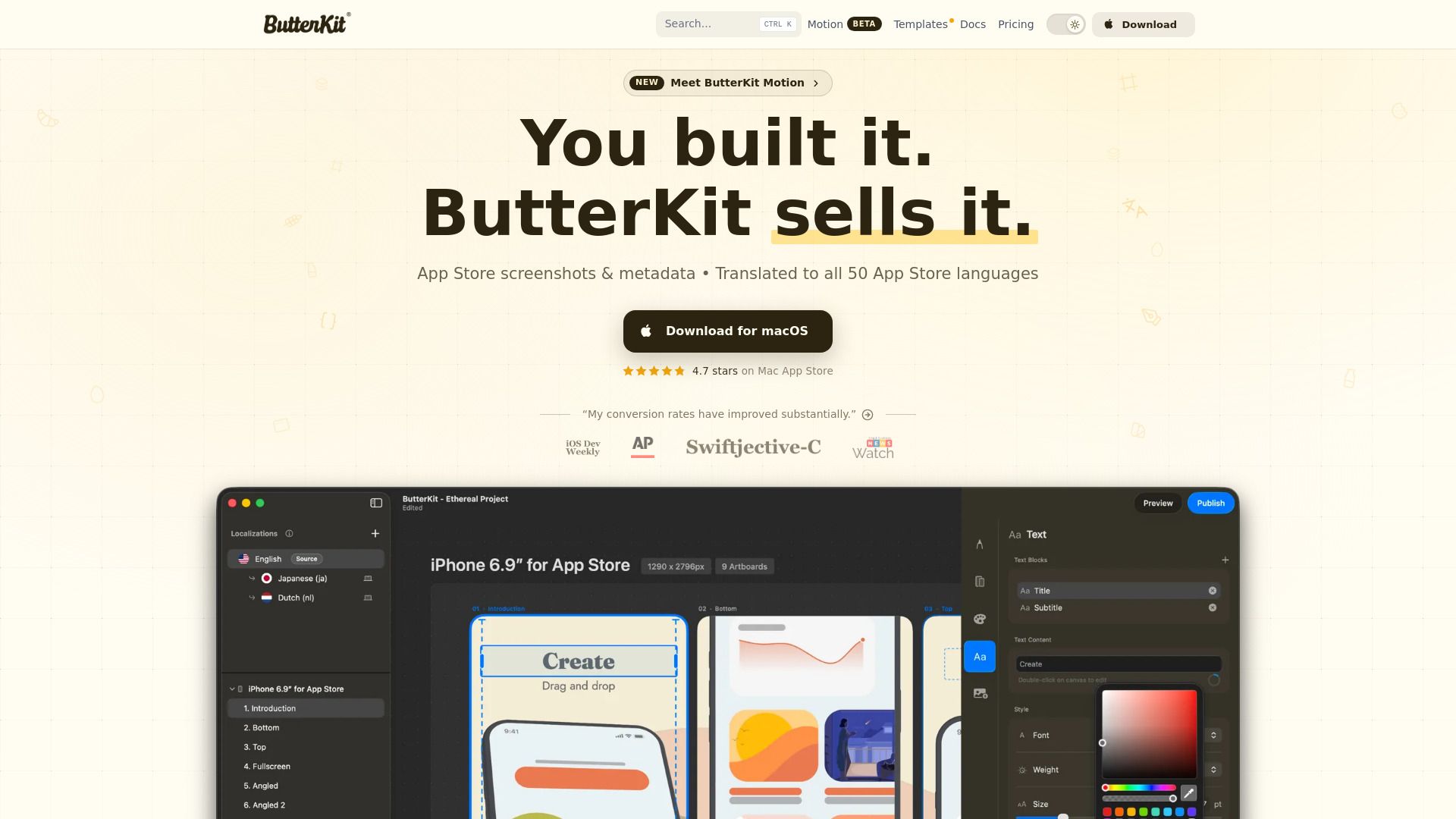
ButterKit is a powerful design tool specifically crafted for macOS, allowing developers, design studios, and marketing agencies to streamline their workflow and enhance user engagement. Built from scratch by Zach Spitulski, ButterKit operates locally on your machine, ensuring privacy with no accounts, passwords, or ads required. Users can choose between a one-time purchase or an affordable subscription to support ongoing development.
With ButterKit, you can design for various Apple platforms, including iOS, iPadOS, macOS, watchOS, and visionOS, while also offering some support for Android. The software features two translation engines for seamless localization, making it easier to reach a global audience. Key features include:
Runs locally on your Mac for enhanced privacy
Supports up to 5 devices per license
Includes on-device translation for 18 languages
Cloud translation for all 50 App Store languages
Captures screenshots from Xcode Simulator
ButterKit Features
ButterKit is a powerful design tool specifically crafted for macOS, enabling developers and designers to create applications for Apple platforms such as iOS, iPadOS, macOS, watchOS, and visionOS. It offers a seamless user experience with a focus on privacy, as it runs locally on your machine without the need for accounts, passwords, or ads. Users can choose between a one-time purchase or an affordable subscription to support ongoing development.
Key features and capabilities of ButterKit include:
Support for multiple Apple platforms, ensuring a versatile design environment.
Two translation engines: an on-device engine for 18 languages and a cloud-based engine for all 50 App Store languages.
Metadata syncing to App Store Connect, streamlining the app submission process.
Compatibility with macOS 26+ and optimized for Apple Silicon M1 or newer.
Ability to capture screenshots from Xcode Simulator, enhancing the development workflow.
Why ButterKit?
ButterKit offers numerous benefits that make it an essential tool for developers, design studios, and marketing agencies. With its unique architecture that runs entirely on your Mac, users can enjoy a one-time purchase option, eliminating the need for subscriptions or cloud storage. This not only keeps costs low but also ensures that users own their license forever, providing long-term value.
Some of the key advantages of using ButterKit include:
Significant workflow acceleration, with users reporting up to 100x speed improvements.
Ease of use, allowing for high-quality results with relatively little effort.
Support for AI agent automation, enhancing productivity through built-in Model Context Protocol (MCP) server capabilities.
Flexible pricing options, including a Supporter plan for those who prefer lower upfront costs.
Generous discounts for educators, students, veterans, and first-responders, making it accessible to a wider audience.
How to Use ButterKit
Getting started with ButterKit is simple and intuitive. First, download the application for macOS and install it on your machine. Once installed, you can choose from a variety of professionally designed templates or create your own polished designs from scratch. The powerful 3D rendering engine allows you to work with high-resolution 3D devices effortlessly.
To maximize your experience with ButterKit, consider the following features:
Runs locally on your Mac without the need for accounts or passwords.
Supports up to 5 devices per license, making it versatile for personal or team use.
Includes two translation engines for easy localization: an on-device option for 18 languages and a cloud option for all 50 App Store languages.
Allows for metadata syncing to App Store Connect, saving you time on exports.
Ready to see what ButterKit can do for you?and experience the benefits firsthand.
Key Features
How to Use
Visit the Website
Navigate to the tool's official website.
Pros & Cons
What's good
What's not good
Pricing
- Own a license forever
- No ongoing subscription fees
- All features included
- Same features as Pro
- Funds ongoing development
- Cancel anytime
- Includes early builds
- Priority support
- Same features as Pro
- Funds ongoing development
- Cancel anytime
- Includes early builds
- Priority support
- Remove watermark
- App Store Connect management
- Free updates
- Use on 5 Macs
- 14-day money-back guarantee