- Monthly visits
- 233.1K
- Pricing
- Freemium
- Pro Teams, Pro Personal
- Company
- Bubbles
- Added
- Apr 14 2025
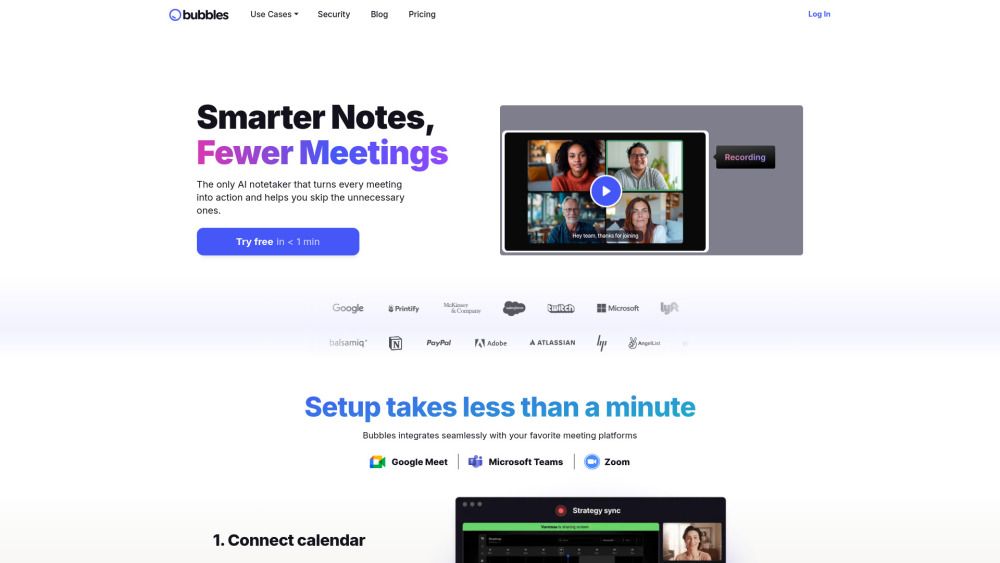
About Bubbles - AI Meeting Note Taker & Screen Recorder
Bubbles provides an AI notetaker that joins meetings, records, transcribes, and takes notes so teams can focus on the discussion. It integrates with common meeting platforms and calendars, and it can be configured to join only selected meetings. The tool supports access via a browser extension and keeps all notes, recordings, and summaries in a centralized workspace for teammates and guests. It emphasizes security and ease of use, with quick setup and ongoing access to notes and recordings.
The system automates capturing meeting content and transforming it into searchable outputs. Users receive AI-generated summaries and action items, which can be shared via email, calendar events, or within the workspace. It also enables asynchronous review through video replies, comments, and screen recordings to reduce live meeting load and improve follow-through.
Bubbles supports video capture and asynchronous collaboration, including audience-facing comments and feedback on meetings, recordings, and transcripts. It offers a browser extension for recording, screen and voice capture, and provides a hub to organize video topics and shared recordings. The product is designed for teams seeking structured notes, easier follow-up, and a centralized place for meeting assets.
Bubbles presents multiple plans and integrations with calendar and video platforms, including a free basic plan and paid Pro options for teams and individuals. It highlights a SOC2 Type II security standard and ongoing 24/7 support with a 24-hour response target. The platform also mentions APIs for custom builds and several workflow improvements through its Notetaker and branding options.
Use cases
- Capture meetings with video and store in a centralized workspace
- Share and organize recordings for teammates or guests
Key features
- Notetaker joins meetings to record, transcribe, and take notes
- AI summaries and action items
- Browser extension to record from browser
- Security and SOC2 Type II certification
- Video replies and comments on meetings
- All meetings in one place and easy sharing
- Async videos and screen recordings for quick questions and updates
Pricing
- Unlimited recording length
- Unlimited meeting recordings
- Bubbles never get locked
- AI transcripts
- Choose which meetings Notetaker joins
- Choose who receives recordings
- Customize Notetaker name and branding
- Unlimited channels
- Everything in Pro Teams
- Get started as an individual or duo
- Automatically transition to discounted Pro Teams pricing when team grows to 3+