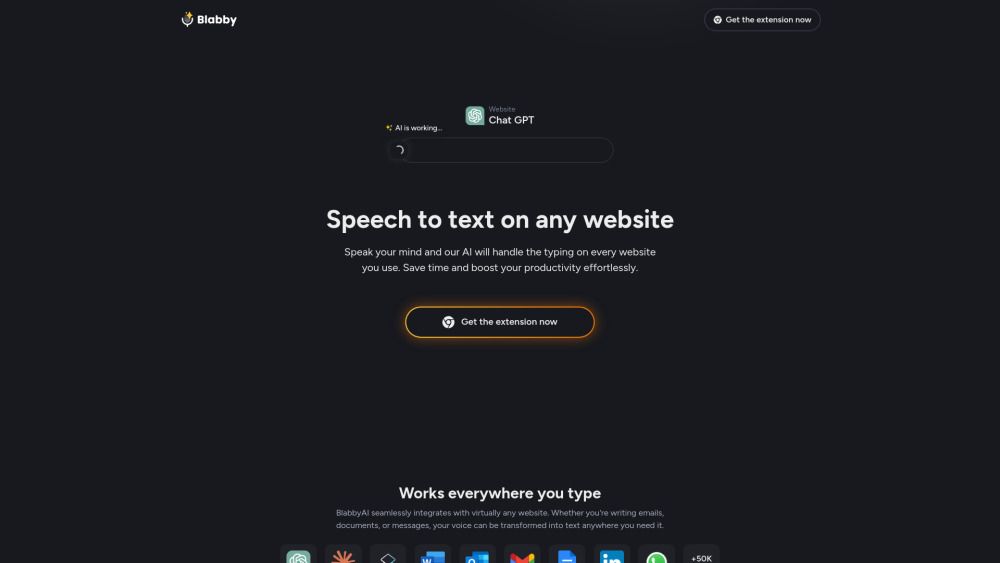
About BlabbyAI Speech to text
What is BlabbyAI Speech to text?
BlabbyAI is an AI-powered speech-to-text Chrome extension that enables users to write with their voice on any website. It allows for quick and accurate transcription of speech into text, making it ideal for drafting emails, creating documents, chatting with AI, or posting on social media. Once installed, BlabbyAI adds a microphone icon to every text field, allowing users to click, speak, and see their words appear instantly with automatic punctuation and smart capitalization.
BlabbyAI stands out from competitors like Google Speech-to-Text and Microsoft Speech Services by offering advanced features such as automatic punctuation and proper formatting. This makes it a superior choice for voice typing and dictation. Additionally, BlabbyAI supports over 90 languages, ensuring accurate transcription across various languages and accents, while maintaining strict privacy standards to protect user data.
BlabbyAI Speech to text Features
BlabbyAI is an AI-powered speech-to-text Chrome extension that allows users to convert their voice into text on any website. It provides a seamless experience by adding a microphone icon to every text field, enabling users to click, speak, and see their words transcribed instantly with automatic punctuation and smart capitalization. This functionality is particularly beneficial for drafting emails, creating documents, and engaging in conversations on platforms like Gmail, Google Docs, and ChatGPT.
Some of the key features and capabilities of BlabbyAI include:
Real-time speech-to-text conversion with impressive accuracy, even with accents or unclear speech.
Automatic punctuation, capitalization, and grammar formatting, enhancing the quality of the transcribed text.
Support for over 90 languages, making it versatile for users around the globe.
Customizable transcription output, allowing users to adjust formatting and punctuation settings according to their preferences.
Why BlabbyAI Speech to text?
BlabbyAI is an AI-powered speech-to-text Chrome extension that offers numerous benefits for users looking to enhance their productivity. By allowing you to write with your voice on any website, it transforms the way you create content, whether it's drafting emails, writing documents, or engaging in social media. The extension provides quick and accurate transcription, making it an invaluable tool for busy professionals and anyone who prefers voice dictation.
Some of the key advantages of using BlabbyAI include:
Automatic punctuation and smart capitalization for perfectly formatted text.
Seamless integration across popular platforms like Gmail, Google Docs, and ChatGPT.
Impressive accuracy, even with accents or unclear speech.
Faster processing speeds compared to other speech-to-text solutions.
How to Use BlabbyAI Speech to text
Getting started with BlabbyAI is simple and intuitive. Once you install the Chrome extension, a discreet microphone icon will appear in every text field across various websites. To begin using the speech-to-text feature, just click the microphone icon, speak naturally, and your words will be transcribed instantly with automatic punctuation and smart capitalization.
BlabbyAI is designed to enhance your productivity by allowing you to dictate text in real-time across multiple platforms, including Gmail, Google Docs, and ChatGPT. Here are some key features that make it easy to get started:
Automatic punctuation and smart capitalization for polished text.
Custom modes for different writing styles, such as emails or casual messages.
Support for 90+ languages, accommodating various accents and speech patterns.
Ready to see what BlabbyAI Speech to text can do for you?and experience the benefits firsthand.
Key Features
How to Use
Visit the Website
Navigate to the tool's official website.
Pros & Cons
What's good
What's not good
Pricing
- 1 hour of transcription
- 320 credits
- All Features Included
- 10 hours of transcription
- 3,500 credits
- All Features Included
- Unlimited transcriptions
- Unlimited credits
- All Features Included
BlabbyAI Speech to text Traffic Analysis
Frequently Asked Questions
Alternatives to BlabbyAI Speech to text
Studocu Global
A platform for accessing shared study materials globally.

Suno
Suno is an innovative platform that enables users to create stunning original music in seconds using artificial intelligence. With its user-friendly interface, individuals can easily craft their own masterpieces, share them with friends, and explore a diverse range of music from artists around the globe. Suno empowers creativity for everyone, from casual singers to aspiring professionals.
Jotform AI Agents
Jotform AI Agents revolutionizes customer service by enabling businesses to respond instantly to customer inquiries anytime and anywhere. With its seamless integration capabilities and user-friendly interface, it enhances operational efficiency and improves customer satisfaction. This innovative solution empowers organizations to provide timely support, ensuring they stay connected with their clients effectively.
Lovescape AI
Create Your AI Girlfriend for Chatting

Manus
Manus is a versatile AI agent designed to transform thoughts into actions, streamlining tasks in both professional and personal settings. Its primary value lies in its ability to manage various responsibilities efficiently, allowing users to relax while it handles their to-do lists. With Manus, users can experience increased productivity and peace of mind, knowing that their tasks are being completed seamlessly.
HealCycle
HealCycle is a comprehensive app designed to support individuals dealing with hormonal imbalances, mood swings, and symptoms of PMS or PMDD. It offers personalized symptom insights and science-backed resources, along with a 24/7 AI companion for emotional support, empowering users to take control of their health journey. With HealCycle, users can gain valuable knowledge and tools to enhance their well-being and manage their cycles effectively.