Can AI Watch a Video? Which AIs Actually Analyze Video (and Which Just Read Captions)
Last updated: 26 November 2026 · By Abdul Sami, AI Orion
Yes, some AI can watch a video: it looks at the frames and listens to the audio, so it can tell you what happens on screen even when nobody speaks. But most "AI video summarizers" do not do that. They read the video's captions and summarize the text, which works for a lecture and fails for a silent demonstration.
Knowing which kind you are using saves a lot of confusion. This guide explains the difference, names the tools in each group, and tells you which to pick for the job you have.
The short answer
- To actually watch the pictures: Google's Gemini. Upload a video file or share a YouTube link and it analyzes frames and audio, so it can describe a scene, read text on screen, or find the moment something happens.
- To summarize a talk, lecture or interview: any caption-based tool is fine and often faster. See our guide to the best AI YouTube summarizers.
- To ask questions about a video with timestamps: AskVideo.ai, free for 180 minutes of video a month.
- To search a whole library of video by what is in it: TwelveLabs, an API with a free plan.
Two kinds of "AI that watches video"
1. Caption readers (most tools)
These tools fetch the transcript (the captions YouTube generates, or a transcript they make from the audio) and hand the text to a language model. The model never sees a single frame.
- Good at: lectures, podcasts, interviews, tutorials with narration, news. Anything where the words carry the meaning.
- Bad at: gameplay, sport, music videos, silent demos, anything where what matters is on screen. They also miss text in slides unless it is read aloud.
- Examples: nearly every YouTube summarizer, including Claras, NoteGPT, Mapify and TubeMemo. Google's NotebookLM is in this group too: its help page says only the text transcript of a YouTube video is imported, and videos without speech are not supported.
2. Frame-and-audio models (true video understanding)
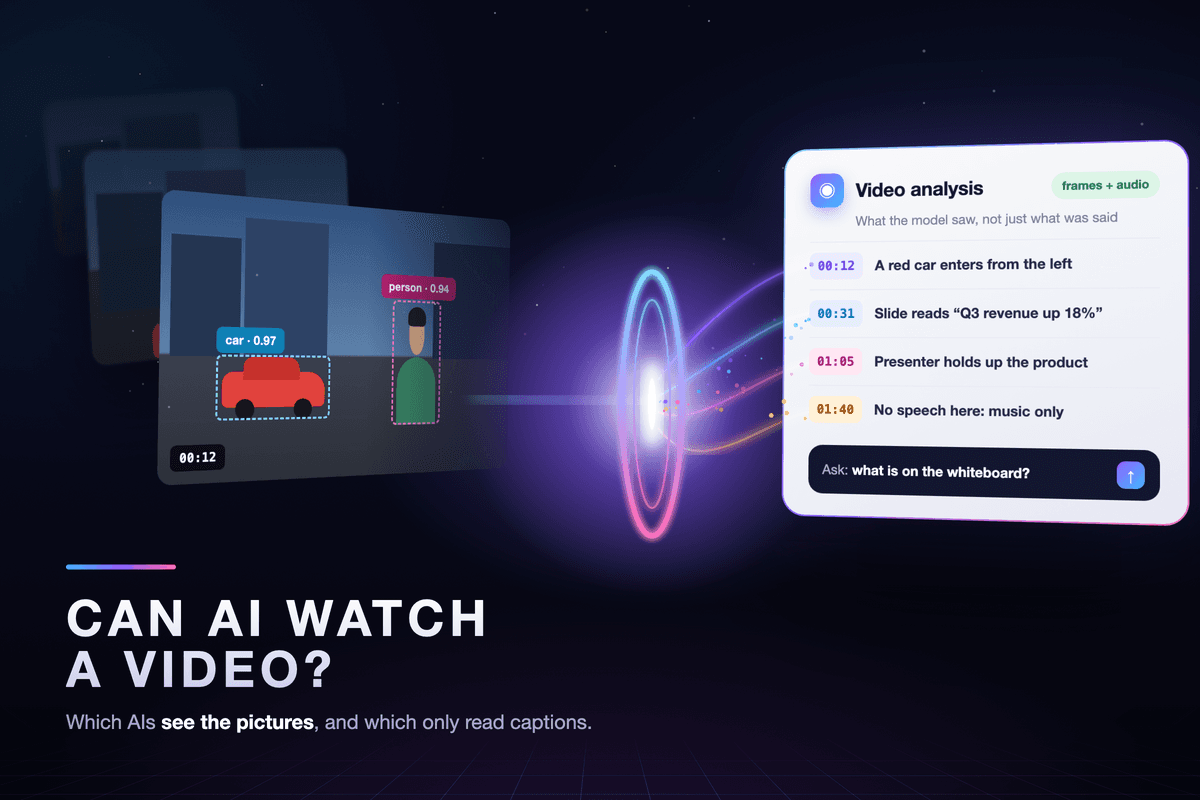
These models take the video itself as input. They sample frames (typically about one a second), process the audio, and reason over both, so they can answer "what colour is the car at 2:14?" or "what does the whiteboard say?".
- Good at: describing what happens, reading on-screen text, counting or locating objects, checking a process was followed, understanding videos with no speech.
- Limits: length caps per upload, slower, and sometimes less accurate on long speech than a clean transcript. They can also misread fine detail in low-resolution footage.
- Examples: Gemini (in the Gemini app and through Google's API), and TwelveLabs for developers. ChatGPT can analyze frames you give it as images, and the video you record in its mobile voice mode, but it is not built for uploading a 40-minute file.
Which tool for which job
| You want to… | Use | Why |
|---|---|---|
| Summarize a lecture or podcast | A caption reader (Claras, NoteGPT, Mapify, Gist AI) | Faster, and the transcript is the content |
| Ask "where does she mention X?" | AskVideo.ai | Answers come with timestamps |
| Understand a video with no narration | Gemini | It sees the frames |
| Read slides or whiteboard text in a recording | Gemini | On-screen text is not in captions |
| Describe what happens in a clip for accessibility | Gemini | Scene description needs the pictures |
| Search hours of footage for a moment | TwelveLabs | Built for indexing and searching video |
| Turn a YouTube video into study notes | NotebookLM or TubeMemo | Transcript-based notes, with sources |
How to use Gemini to watch a video
- Open the Gemini app and start a new chat.
- Attach a video file from your device, or paste a YouTube link.
- Ask a specific question: "Describe what happens in this clip", "What is written on the slide at 3:40?", "List every product shown".
- For long videos, ask about a section ("between 10:00 and 15:00") to get more precise answers.
Gemini is included with a Google account at no cost, with higher limits on Google's paid AI plans. Results on YouTube links lean on captions where they exist and on the video where they do not.
The tools, with prices
Gemini
Google's assistant, and the easiest way for a non-developer to have an AI look at a video. Free with a Google account.
AskVideo.ai
AskVideo.ai is caption-based, but the best of that group for questions: every answer carries a timestamp, and the Pro plan indexes playlists and channels for cross-video search.
- Free: 180 minutes of YouTube indexing, 30 minutes of uploaded video transcription, 100 messages a month.
- Premium: US$8 a month. Pro: US$29 a month.
TwelveLabs
TwelveLabs is an API for developers: upload video, and search or ask questions across it by what is seen and heard.
- Free: US$0 a month, 3 GB of storage, basic rate limits.
- Plus: US$29 a month (US$290 a year), 50 GB. Pro: US$99 a month, 200 GB.
NotebookLM
Google's research notebook takes public YouTube links as sources, but imports only the transcript. Free users can add up to 50 sources per notebook. Good for study notes from talks, useless for silent footage.
Caption-based summarizers
Claras (from US$5 a month), NoteGPT (from US$9.99), Mapify (from US$9.99) and Gist AI (free) all summarize from the transcript. Prices and free tiers are in our YouTube summarizer guide.
Frequently asked questions
Is there an AI that can watch YouTube videos and answer questions? Yes. For questions about what is said, AskVideo.ai or NoteGPT. For questions about what is shown, Gemini with the link or the file.
Can ChatGPT watch a video? Not a full video file in the normal chat. It can analyze screenshots or frames you upload, and the live camera in voice mode on mobile. For a recorded video, Gemini is the better choice today.
Can I send an AI a video from my phone? Yes. The Gemini app accepts video attachments. Tools like Claras and AskVideo.ai accept uploads on paid or free plans with transcription limits.
Does the AI watch the whole video? Frame-based models sample the video (roughly one frame a second) rather than viewing every frame, and have a length limit per upload. Caption readers process the whole transcript.
Why did the summary miss what was on screen? Because the tool read the captions, not the pictures. Use Gemini for anything where the screen matters.
Can AI analyze a video for security or sports? Yes, with frame-based tools. TwelveLabs is built for searching footage; Gemini can analyze a single clip.
More tools
Browse the AI video summarizer and AI video search categories for more tools that read or watch video.