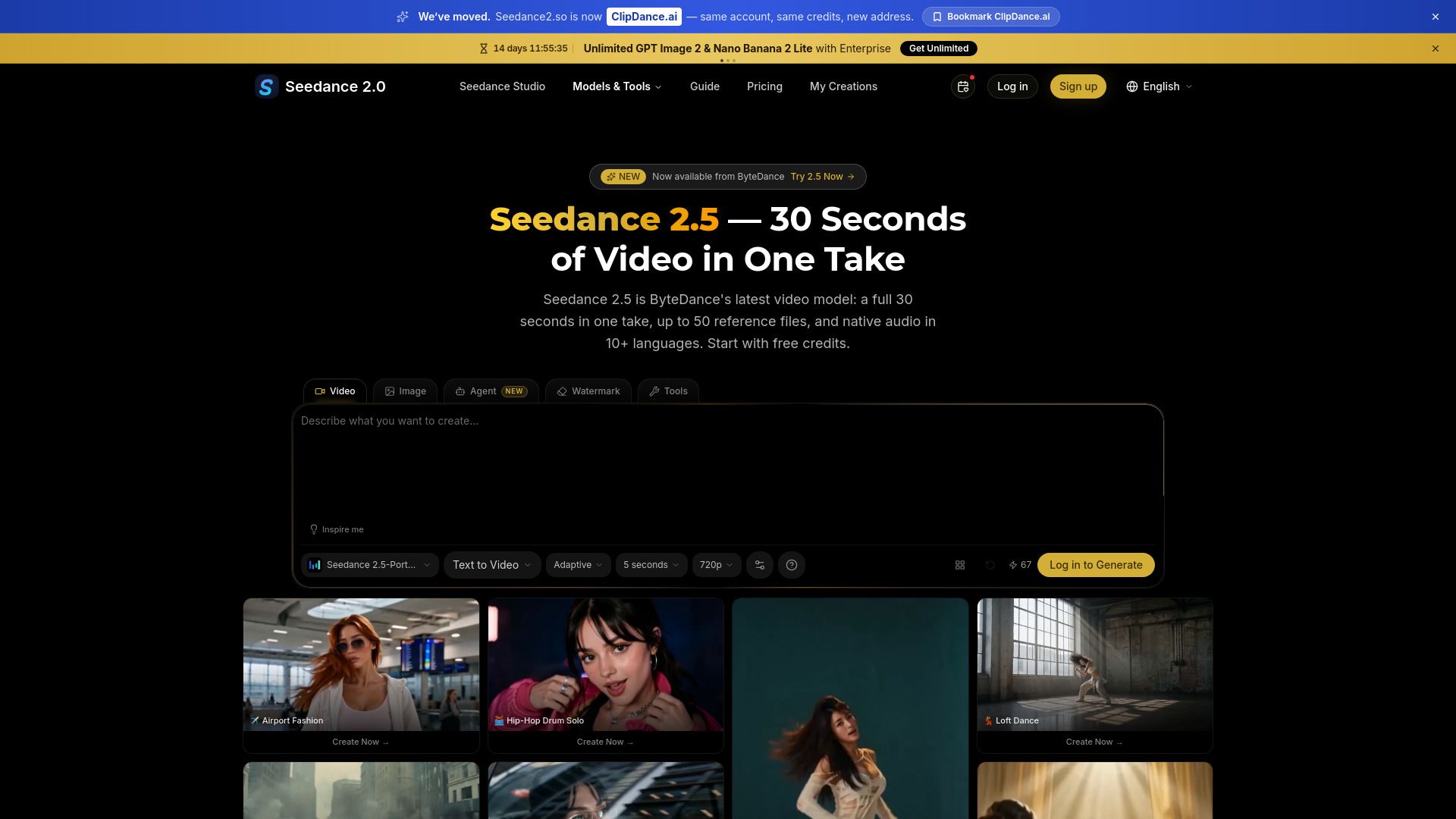
About seedance 2.5 - clipdance
What is seedance 2.5 - clipdance?
Seedance 2.5 - Clipdance is an innovative web application designed to streamline the process of creating animated clips. It allows users to generate clips by following specific timing cues and utilizing up to 50 references, including character photos, style references, and audio files. This feature ensures that the final product closely aligns with the user's vision from the very first render.
The application is user-friendly and accessible on all operating systems, making it easy for anyone to create high-quality animations. Users can sign up for free trial credits, enabling them to explore the platform without any initial investment. Once the clips are generated, users have the flexibility to refine specific regions without affecting the entire clip, ensuring a polished final product.
Generate clips with up to 50 references for enhanced accuracy.
Follow timing cues for precise animation synchronization.
Refine specific areas of the clip without re-rendering the entire project.
Accessible on all operating systems with a free trial available.
seedance 2.5 - clipdance Features
Seedance 2.5 - Clipdance is a powerful web application designed to streamline the process of creating video clips. It allows users to generate clips by following specific timing cues, ensuring that actions are accurately represented in the final render. The application can handle up to 50 references, including character photos, style references, and audio files, which enhances the quality and relevance of the generated content.
Key features and capabilities of Seedance 2.5 include:
Ability to read timing cues for precise action rendering.
Support for up to 50 references to improve clip quality.
Option to refine specific regions of the clip without affecting the entire video.
Export functionality once the clip meets user satisfaction.
Why seedance 2.5 - clipdance?
Seedance 2.5 - Clipdance offers a range of benefits that make it an attractive choice for users looking to create high-quality clips efficiently. With the ability to follow up to 50 references, including character photos, style references, and audio files, users can ensure that their projects are visually and audibly cohesive. This feature allows for a clean library that pays off immediately in the rendering process.
Additionally, Seedance 2.5 reads timing cues, which enhances the accuracy of the first render by allowing users to specify the exact moments when actions should occur. This capability not only saves time but also improves the overall quality of the final product. Users can generate a full 30-second clip and refine specific regions without needing to rework the entire project, making the editing process more efficient.
Free trial credits available, no credit card needed.
Ability to upload and utilize multiple references for better results.
Efficient rendering and editing process with timing cue recognition.
Export options available once the clip meets user satisfaction.
How to Use seedance 2.5 - clipdance
To get started with Seedance 2.5 - Clipdance, follow these simple steps to create your first clip. First, sign up on the platform and claim your free trial credits, allowing you to generate content immediately. Once you're set up, begin by writing the beats; describe what happens and when, as Seedance 2.5 reads timing cues to enhance your first render.
Next, build your references by uploading character photos, style references, and audio files. Seedance 2.5 can handle up to 50 references, so maintaining a clean library will significantly improve your results. Finally, generate and refine your clip by rendering the full 30 seconds, making adjustments to any regions that need work without affecting the rest of the clip. Once satisfied, you can export your final product.
Sign up and claim free trial credits.
Write beats to describe actions and timing.
Upload up to 50 references for better results.
Render and refine your clip before exporting.
Ready to see what seedance 2.5 - clipdance can do for you?and experience the benefits firsthand.
Key Features
How to Use
Visit the Website
Navigate to the tool's official website.
Pros & Cons
What's good
What's not good
Pricing
- 3 free credits to try Seedance 2.0
- No credit card required
- 100 credits
- Valid for 30 days
- Pay-as-you-go flexibility
- 500 credits
- Valid for 30 days
- Pay-as-you-go flexibility
- 1500 credits
- Valid for 30 days
- Pay-as-you-go flexibility
- 2500 credits
- Valid for 30 days
- Pay-as-you-go flexibility