
- Monthly visits
- 310.9K
- Pricing
- Contact
- Flex, Pro, Max
- Added
- 2026-09-08 09:42:00
About Motion.so
What is Motion.so?
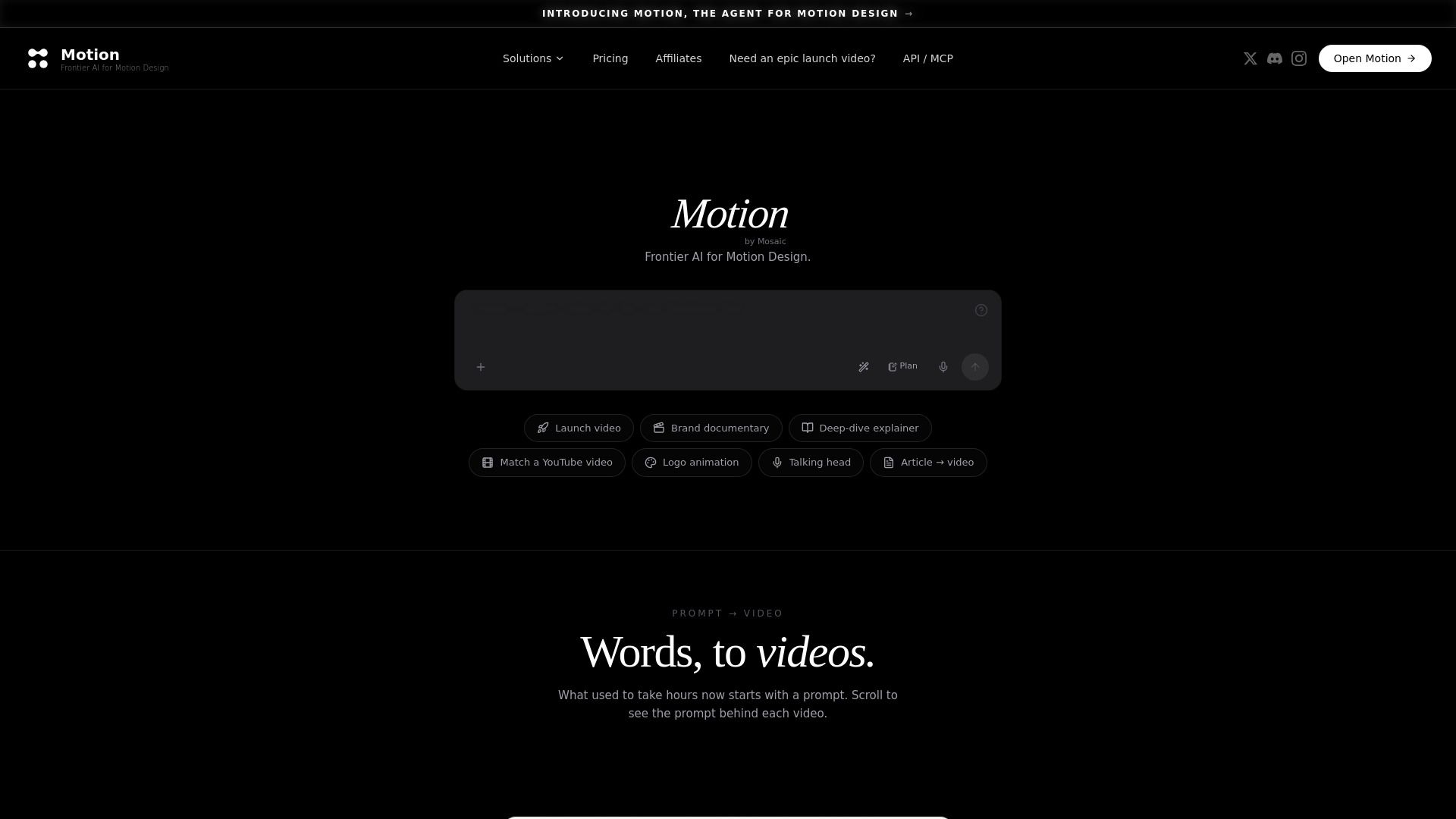
Motion.so is an AI motion graphics studio designed to create and iterate on graphics in just minutes. It allows users to describe a video, and then it generates the necessary visuals, motion graphics, voiceovers, music, and captions, making the video production process efficient and streamlined. The platform operates directly in the browser, integrating seamlessly with tools like Claude, ChatGPT, and other MCP agents.
With Motion, users can easily build and edit their videos scene by scene, utilizing a storyboard approach that includes a color palette, style guide, and pacing. The platform supports real-time collaboration, enabling users to modify elements by hand or through chat, ensuring a smooth editing experience without the need to regenerate entire scenes.
Create launch videos, product demos, logo animations, and social ads quickly.
Utilize a storyboard for structured video production.
Integrate with existing tools for live context and collaboration.
Edit and iterate on videos without hassle.
Motion.so Features
Motion is an AI-powered motion graphics studio that allows users to create and iterate on graphics in just minutes. It serves as a frontier agent for motion design, enabling users to describe a video concept, which it then designs, animates, and renders. This functionality is particularly useful for producing launch videos, product demos, logo animations, and social ads quickly and efficiently.
Motion operates directly in the browser and integrates seamlessly with various agents such as Claude, ChatGPT, and any MCP agent. This allows users to pull from their existing repositories, documents, and assets for real-time context in their video projects. Additionally, Motion offers a studio service where users can have their videos directed end-to-end by a professional team, ensuring high-quality results.
Create and iterate on motion graphics in minutes.
Design, animate, and render videos based on user descriptions.
Produce various types of videos including launch videos, product demos, and social ads.
Work directly in the browser with integration to AI agents like Claude and ChatGPT.
Access a professional studio service for high-quality video production.
Why Motion.so?
Motion.so is a powerful tool for creating motion design content quickly and efficiently. By simply describing a video, users can have it designed, animated, and rendered in minutes. This capability allows for the production of various types of videos, including launch videos, product demos, logo animations, and social ads, all directly in the browser. The integration with AI agents like Claude and ChatGPT enhances the user experience, making it easier to generate high-quality content.
Some of the key benefits of using Motion.so include:
Rapid video creation: Transform ideas into videos in just minutes.
Browser-based functionality: No need for complex software installations.
Flexible pricing options: Choose from pay-as-you-go or subscription plans to suit your needs.
Seamless integration: Works with existing tools and agents for a streamlined workflow.
How to Use Motion.so
To get started with Motion.so, you can easily connect your existing tools and agents to streamline your video creation process. By integrating with platforms like Claude, ChatGPT, and Cursor, you can pull real-time context from your repositories, documents, and assets, making your video production more efficient and relevant.
Once you're set up, you can utilize Motion Studio to direct your videos. The studio allows you to manage every aspect of your video production, from storyboarding to final edits. You can iterate on your videos seamlessly, making adjustments without the need to regenerate entire scenes, ensuring a smooth workflow.
Connect your existing stack for live context.
Utilize Motion Studio for end-to-end video direction.
Iterate easily with drag-and-drop editing and chat-based modifications.
Ready to see what Motion.so can do for you?Get started with Motion.so todayand experience the benefits firsthand.
Key features
- AI motion graphics studio
- Create and iterate on graphics in minutes
- Works in the browser
- Integrates with Claude, ChatGPT, and any MCP agent
Pros and cons
Pros
Pricing
- 200 credits
- Pay as you go
- No subscription
- 1,250 credits per month
- 5,000 credits per month
Reviews
Frequently asked questions
What is Motion?
How to use Motion?
What is Motion?
What types of videos can Motion create?
How does Motion create a video?
Can Motion use my brand assets and guidelines?
Can I edit videos created by Motion?
Does Motion work with Claude and ChatGPT?
Does Motion offer professional video production?
How much does Motion cost?
Alternatives to Motion.so
More in AI Video Generator
Burning Bridges AI
Burning Bridges AI turns a portrait photo into a short AI video of a viral social trend, led by a chandelier-party scene, using Seedance-2 video models.

SubsVideo
SubsVideo déchiffre les nouveautés de l’IA créative (vidéo, image, voix, musique) et teste les outils, avec tutos et actus.
Seavid AI
Seavid AI is a browser platform for making AI videos and images from text, photos and references using third-party models such as Seedance, Veo and Kling.

Video to Prompt
Video to Prompt analyzes short videos to produce editable AI prompts for video and image workflows.
