
KidVoice
Try KidVoice, an AI child voice generator with a free plan, 66 natural styles, multilingual previews, and permitted voice cloning.
- Monthly visits
- 16.4K
- Pricing
- Freemium
- LITE, PREMIUM
- Added
- 2026-07-22 10:08:28
About KidVoice
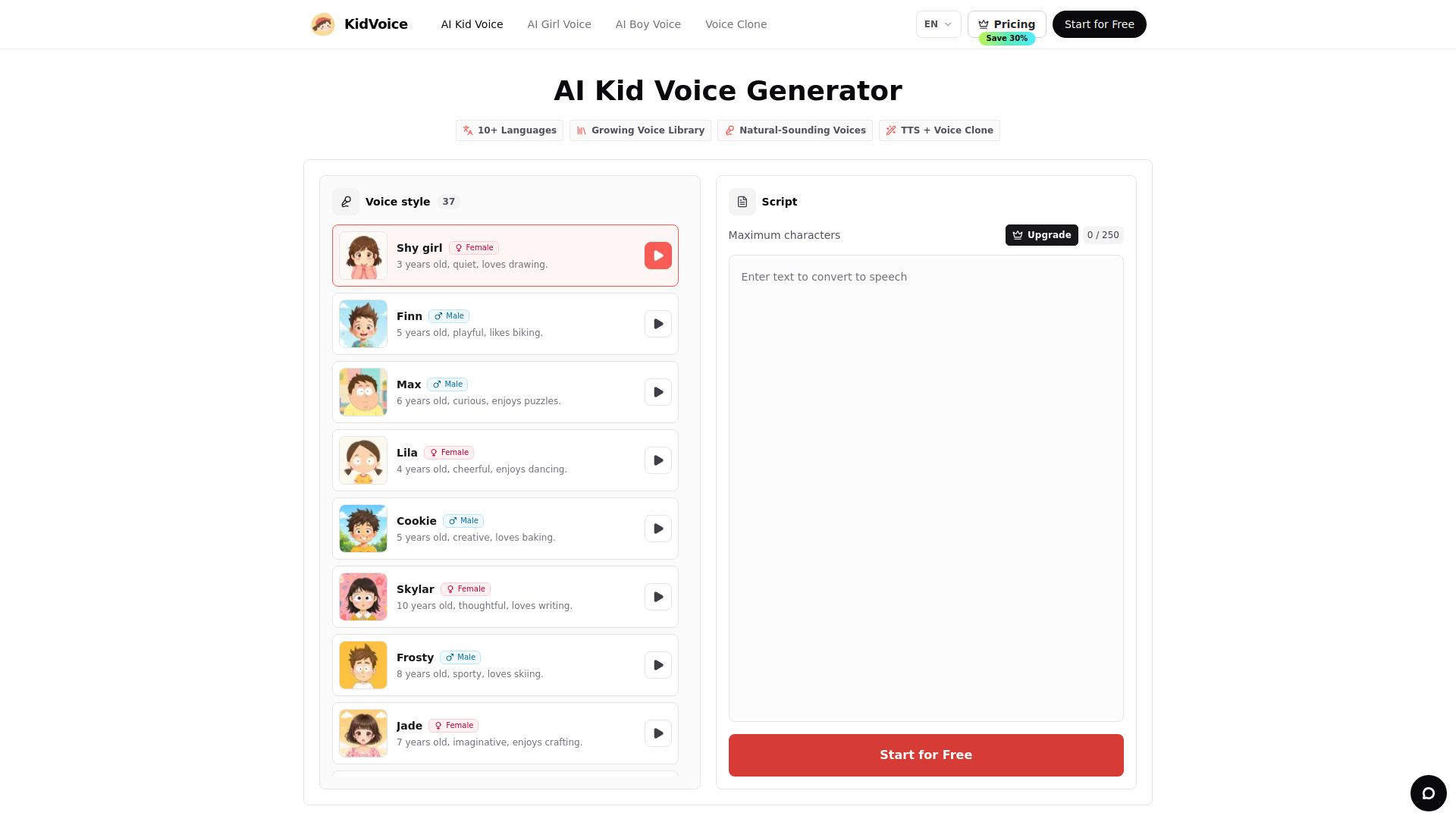
KidVoice is a browser-based voice generation product focused on child, teen, character, accent, and permitted reference-led speech. It is built for creators who need to hear a script, compare a direction, and keep an audio take without moving between several tools.
The product centers on a focused workflow that keeps voice selection, script entry, generation, browser preview, and download together, and it uses a centrally managed catalog to keep names, descriptions, images, and audio references consistent.
Reference-led generation is intended for audio you are authorized to use, with clear boundaries around identity and consent, and KidVoice supports storytelling, animation and game prototypes, educational material, product demos, short-form video, and script review.
KidVoice is designed for creators who produce stories, lessons, games, and videos, offering multiple languages, cloning options, and a safe workflow to manage scripts and generated audio within a single workspace.
Use cases
- Child voices for stories, lessons, games, and videos.
- Short videos
- Stories and learning
- Games and characters
Key features
- 66 child voice styles
- TTS + Voice Clone
- Multilingual voices
- Browser preview and file download
- Creator-safe workflow
Pros and cons
Pros
Pricing
- All AI kid voices
- AI voice cloning
- Unlimited audio downloads
- All AI kid voices
- AI voice cloning
- Unlimited audio downloads
Reviews
Frequently asked questions
Can I try the AI child voice generator for free?
How do I create AI kid voices?
Can I clone a voice?
What languages are supported?
Is there a refund policy?
Alternatives to KidVoice
More in AI Voice Generator
Atomic Learning
Atomic Learning is a daily listening practice app for learners, offering 11 languages with a one-minute dictation habit and word-by-word accuracy.

Speaktor
Speaktor converts text to speech in 50+ languages with AI voices and provides instant MP3/WAV downloads.

StoryAI
StoryAI is an iPhone app that provides AI-generated stories across eight categories, with reading and listening options, favorites, and a dark mode.

Narrative Nooks
Narrative Nooks provides AI-driven, story-based learning and 24/7 tutoring for young learners, with personalized tutoring and badge rewards.
