About ImageTo Prompt
What is ImageTo Prompt?
Image to Prompt is a powerful tool designed to enhance your creative workflow by converting images into detailed text prompts. This innovative application leverages artificial intelligence to streamline the process of generating prompts that can be utilized in various AI models for image generation. By using Image to Prompt, users can save valuable time and focus on their creative projects without the hassle of manual prompt creation.
With its user-friendly interface, Image to Prompt allows you to quickly select an image, initiate the conversion process, and receive a prompt in just a few seconds. This efficiency not only boosts productivity but also opens up new possibilities for creativity and exploration in digital art and design.
Free and unlimited access to generate prompts.
Compatible with popular AI models like Midjourney and Stable Diffusion.
Quick conversion process for enhanced productivity.
Supports various image formats for flexibility.
ImageTo Prompt Features
Image to Prompt is a powerful AI-driven tool designed to convert images into detailed prompts, facilitating the generation of new images using various AI models. This functionality not only enhances creativity but also significantly streamlines the workflow for artists, designers, and content creators. By transforming visual content into descriptive text, users can save time and focus on their creative processes.
The tool is user-friendly, allowing users to easily select an image, initiate the conversion, and copy the resulting prompt for use in other AI image generators. It supports various image formats and is optimized for clear images with well-defined subjects, ensuring accurate and effective prompt generation.
AI-powered conversion of images to prompts.
Supports multiple image formats including JPEG and PNG.
User-friendly interface for quick and easy image selection and conversion.
Enhances productivity by streamlining the creative process.
Prompts can be used with various AI models like Midjourney and Stable Diffusion.
Why ImageTo Prompt?
Image to Prompt offers numerous benefits that enhance productivity and streamline creative processes. By converting images into detailed text prompts, users can save valuable time and improve their workflow. This tool not only aids in generating vivid marketing copy but also facilitates better communication in software development and research, making it an essential asset for professionals across various fields.
Some key advantages of using Image to Prompt include:
Increased work efficiency by quickly transforming images into text descriptions.
Enhanced creativity through the generation of engaging content for marketing and social media.
Improved communication and understanding of design intent within teams.
Support for data analysis by extracting key elements from images.
Convenience in organizing and analyzing information for academic research.
How to Use ImageTo Prompt
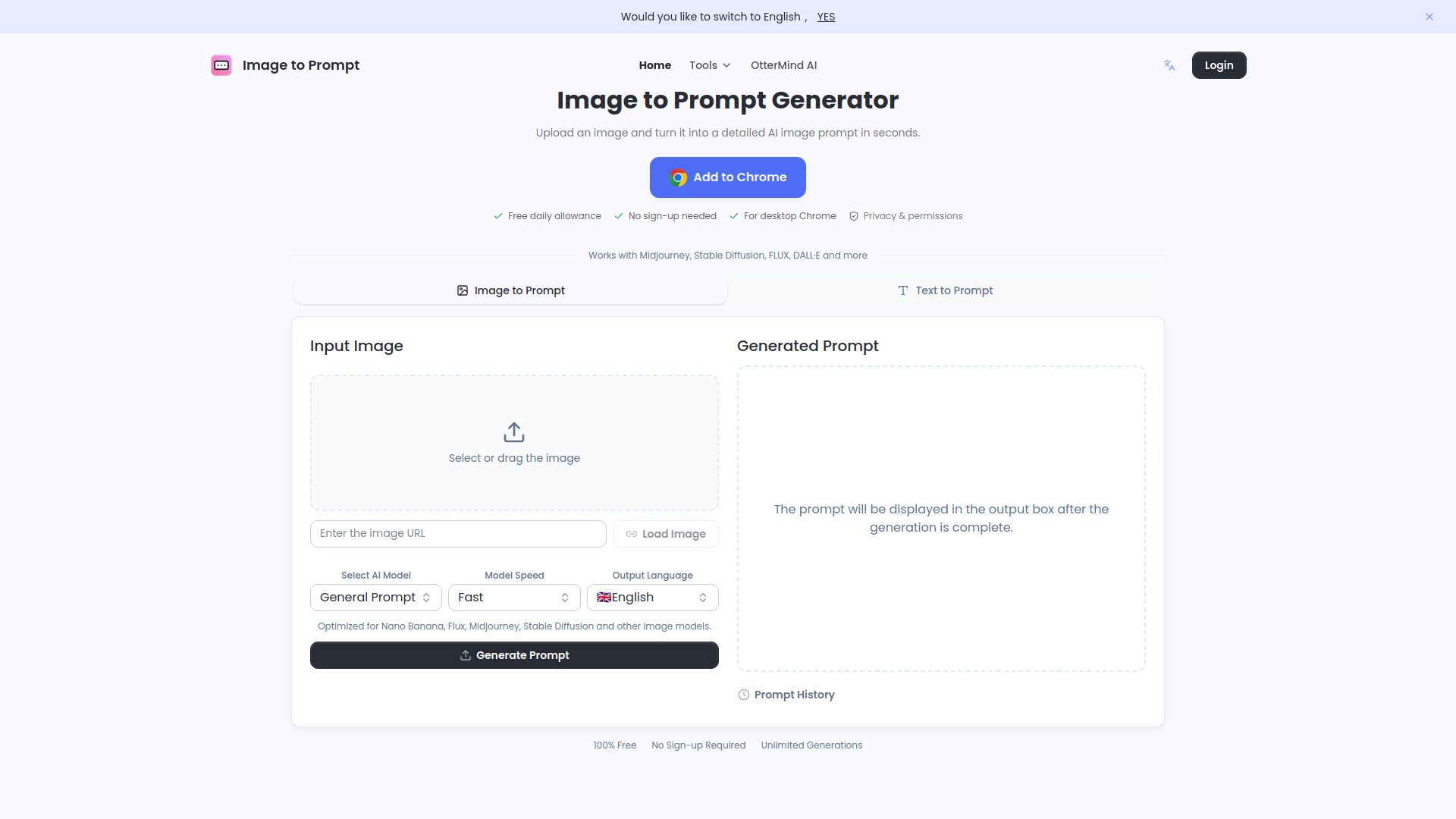
Getting started with Image to Prompt is simple and intuitive. To convert an image into a prompt, follow these easy steps: First, select the image you want to convert by either clicking to choose or dragging the image into the designated area. You can also click on an example image to try it out. Next, click the start convert button and wait a few seconds for the result to be displayed in the output box. Finally, copy the generated prompt for use in your image generator.
Image to Prompt is designed to enhance your creative workflow by providing quick and accurate prompts that can be used with various AI models. This tool is particularly beneficial for those looking to streamline their creative processes and save time.
Easy image selection and conversion process
Quick generation of prompts for AI image models
Supports various image formats for better compatibility
Ready to see what ImageTo Prompt can do for you?and experience the benefits firsthand.
Key Features
How to Use
Visit the Website
Navigate to the tool's official website.
Pros & Cons
What's good
What's not good
Pricing
- Unlimited access
- No credit card needed
- Image Tools
- Text Tools
- Resources