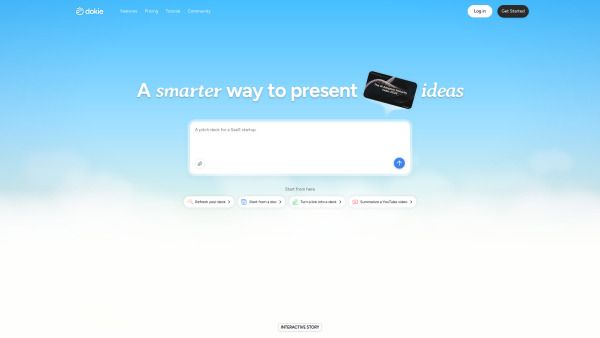
About Dokie AI
What is Dokie AI?
Dokie AI is an innovative AI presentation maker designed to create professional, brand-aligned slides quickly and efficiently. It allows users to generate and edit PowerPoint presentations for free, making it accessible for anyone looking to enhance their presentation skills without upfront costs.
What sets Dokie AI apart is its ability to function as an AI presentation agent. It understands the structure of presentations, refines content, and maintains clean layouts, assisting users throughout the entire presentation workflow. This makes it a powerful tool for both novice and experienced presenters.
Generates complete presentations automatically.
Supports multiple file formats including text, PDF, Word, Excel, images, and PowerPoint.
Allows customization of slide design and layout.
Offers a free option for users to start creating and editing presentations online.
Dokie AI Features
Dokie AI is an advanced AI presentation agent designed to assist users in creating, converting, and editing professional PowerPoint presentations automatically. It leverages artificial intelligence to generate slides, organize content, refine layouts, and apply design styles based on user input, which can include text, files, or data.
Some of the key features and capabilities of Dokie AI include:
Automatic generation of complete presentations.
Support for multiple file formats, including text, PDF, Word, Excel, images, and PowerPoint files.
Customization options for slide design and layout.
Free credits available for users to create and edit presentations without upfront costs.
Assistance throughout the entire presentation workflow, ensuring clean layouts and refined content.
Why Dokie AI?
Dokie AI is an innovative AI presentation agent that streamlines the process of creating, converting, and editing professional PowerPoint presentations. By leveraging artificial intelligence, it generates slides, organizes content, and refines layouts based on user input, making it an invaluable tool for anyone looking to enhance their presentation skills.
One of the key advantages of using Dokie AI is its ability to simplify the presentation creation process without requiring any design skills. Users can customize design styles and layouts while maintaining a clean and consistent presentation quality. The platform supports various file formats, including text, PDF, Word, Excel, images, and PowerPoint files, allowing for easy content conversion and reuse. Here are some benefits of using Dokie AI:
Free option available for users to start creating presentations without upfront costs.
Automatic layout and structure handling, enabling users to focus on content rather than design.
Ability to refine and enhance existing presentations for improved clarity and design.
Professional and brand-aligned presentation creation suitable for business, education, and personal use.
How to Use Dokie AI
To get started with Dokie AI, first generate a personal access token to securely connect Dokie with your AI assistant. This token is essential for enabling the integration and ensuring that your AI assistant can utilize Dokie's features effectively.
Once you have your token, copy the configuration provided and add it to your AI assistant. You can then mention Dokie in your prompts to activate its capabilities. For example, you might say, "Use Dokie to turn this conversation into a polished presentation." This will allow Dokie to assist you in creating and refining presentations directly from your conversation context.
Create presentations on mobile or connect Dokie to your AI agent with MCP.
Customize slide designs and layouts without needing design skills.
Refine and enhance existing presentations for improved clarity and quality.
Ready to see what Dokie AI can do for you?and experience the benefits firsthand.
Key Features
How to Use
Visit the Website
Navigate to the tool's official website.
Pros & Cons
What's good
What's not good
Pricing
- Unlock 6,000 monthly credits
- Access to custom templates
- Export features
- Faster support
- Opportunities for product co-creation
- Receive 20,000 credits per month
- Priority support
- Deeper product collaboration
- Early access to trial new features
- Tailored solutions with custom credit limits
- Dedicated support
- Advanced capabilities
- More resources
- Personalized assistance
- 50 free credits every day
- Export to PDF, PPTX, PNG
- Limited access to premium features
- Create high-quality presentations
- 50 free credits every day
- Create high-quality presentations
- Generate images with powerful model
- Create custom themes