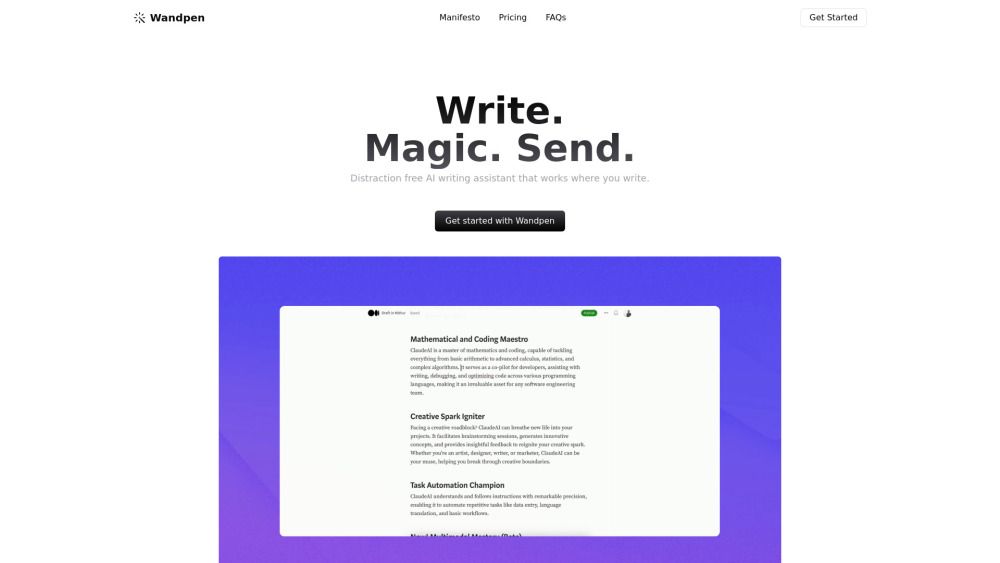
About Wandpen
What is Wandpen?
Wandpen is a Chrome extension that integrates AI capabilities into your workflow, allowing you to enhance your writing and productivity seamlessly. By simply pressingOption + Won Mac orAlt + Won Windows/Linux, you can access a range of features without leaving your current tab.
With Wandpen, you can:
Improve your writing and fix grammar errors
Rewrite content and translate text
Brainstorm ideas and chat with the page you're viewing
Summarize articles and create new content
Wandpen Features
Wandpen is a Chrome extension that integrates AI capabilities directly into your workflow. By simply pressingOption + W(Mac) orAlt + W(Windows/Linux), users can access a range of functionalities designed to enhance their writing experience. This includes improving writing quality, fixing grammar errors, rewriting content, translating text, brainstorming ideas, and even engaging in a chat with the content on the current page, all without the need to switch tabs or disrupt the workflow.
Wandpen operates seamlessly across various platforms, making it a versatile tool for users. It can be utilized in:
Email platforms (Gmail, Outlook, Yahoo Mail)
Document editors (Google Docs, Notion)
Social media (LinkedIn, Twitter/X, Facebook, Reddit)
Content management systems and blogging platforms
Online forms, surveys, and comment boxes
Any textarea or input field across the web
Why Wandpen?
Wandpen is a powerful Chrome extension designed to enhance your writing experience by integrating AI capabilities directly into your workflow. With just a simple keyboard shortcut, users can access a variety of features that streamline the writing process, making it easier to produce high-quality content without interrupting their current tasks.
Some of the key benefits of using Wandpen include:
Improving writing quality through grammar checks and content rewriting.
Translating text seamlessly for multilingual communication.
Brainstorming ideas and generating content suggestions on the fly.
Engaging with the content on the page for a more interactive experience.
How to Use Wandpen
Wandpen is a Chrome extension that brings AI to anywhere you work. To get started, simply pressOption + W(Mac) orAlt + W(Windows/Linux) to open Wandpen. You can also select text first, then press the shortcut to work with that specific text, allowing for a seamless experience without the need for clicking or navigation.
Once opened, Wandpen offers a variety of features to enhance your writing and productivity:
Improve your writing
Fix grammar errors
Rewrite content
Translate text
Brainstorm ideas
Chat with the page you're viewing
Ready to see what Wandpen can do for you?and experience the benefits firsthand.
Key Features
How to Use
Visit the Website
Navigate to the tool's official website.
Pros & Cons
What's good
What's not good
Pricing
- Unlimited writing with Gemini Nano (runs locally on your device, completely private)
- 100 generations per month with GPT‑4.1 nano (cloud-based)
- Unlimited voice-to-text transcription
- Unlimited writing
- Intelligent models
- Larger context
- Access to multiple AI models including GPT-5 and Claude
- Unlimited writing
- Intelligent models
- Larger context
- Access to multiple AI models including GPT-5 and Claude
- Use your own API keys
- No monthly fees
- Lifetime access
- Full control over your API usage
Wandpen Traffic Analysis
Frequently Asked Questions
Alternatives to Wandpen
Unibase Memory
Unibase Memory is a private, encrypted AI memory solution that allows users to save, search, and reuse their AI context seamlessly across multiple tools, including ChatGPT and Claude. Its key benefits include the ability to own and manage AI memory, enabling users to select and send only relevant context with a single click, thus enhancing efficiency and personalization in AI interactions.
Studocu Global
A platform for accessing shared study materials globally.

Suno
Suno is an innovative platform that enables users to create stunning original music in seconds using artificial intelligence. With its user-friendly interface, individuals can easily craft their own masterpieces, share them with friends, and explore a diverse range of music from artists around the globe. Suno empowers creativity for everyone, from casual singers to aspiring professionals.
Jotform AI Agents
Jotform AI Agents revolutionizes customer service by enabling businesses to respond instantly to customer inquiries anytime and anywhere. With its seamless integration capabilities and user-friendly interface, it enhances operational efficiency and improves customer satisfaction. This innovative solution empowers organizations to provide timely support, ensuring they stay connected with their clients effectively.
Lovescape AI
Create Your AI Girlfriend for Chatting

Manus
Manus is a versatile AI agent designed to transform thoughts into actions, streamlining tasks in both professional and personal settings. Its primary value lies in its ability to manage various responsibilities efficiently, allowing users to relax while it handles their to-do lists. With Manus, users can experience increased productivity and peace of mind, knowing that their tasks are being completed seamlessly.