About Ncurator
What is Ncurator?
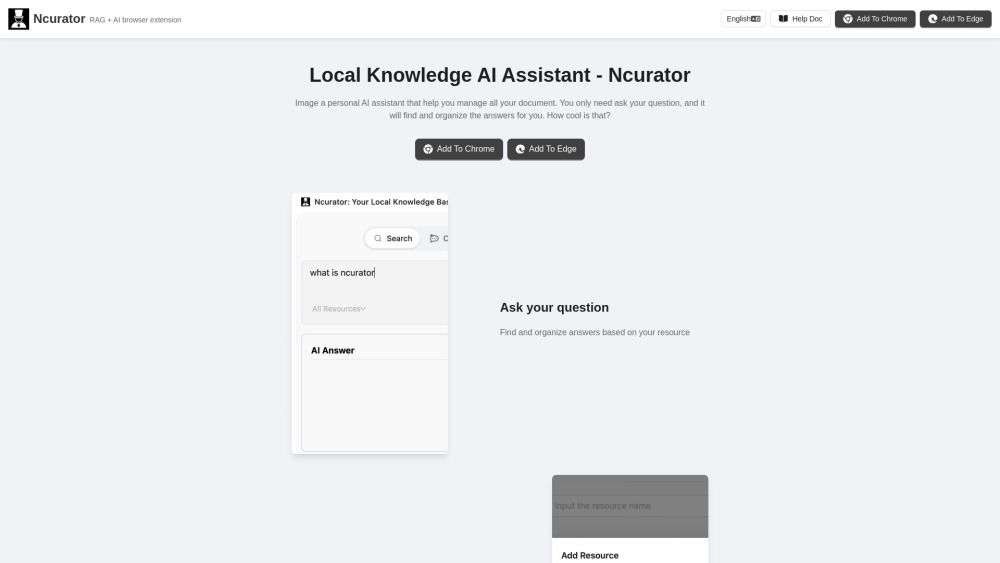
Ncurator is a personal AI assistant designed to help users manage their knowledge efficiently. By simply asking a question, users can retrieve and organize relevant information from their knowledge base, making it easier to find answers and insights.
This innovative tool optimizes search suggestions and encourages users to refine their queries for better results. With Ncurator, you can add your knowledge just once, ensuring that the data is stored securely on your device for AI analysis.
Intelligent query analysis to retrieve relevant information
Organizes answers based on user knowledge
Secure data storage on the user's device
Ncurator Features
Ncurator is a personal AI assistant designed to help users manage their knowledge efficiently. By simply asking a question, users can retrieve and organize relevant answers from their knowledge base. This functionality allows for a streamlined approach to information management, making it easier to access and utilize stored knowledge.
Some of the key features and capabilities of Ncurator include:
Intelligent query analysis to find the most relevant information.
Ability to add knowledge once, with data stored locally for AI analysis.
Support for importing various document types and crawling webpages.
Semantic search technology for improved accuracy in results.
Offline usage capabilities after downloading the model.
Why Ncurator?
Ncurator serves as a personal AI assistant designed to help you manage and organize your knowledge efficiently. By simply asking a question, Ncurator intelligently analyzes your query and retrieves the most relevant information from your knowledge base, making it an invaluable tool for anyone looking to streamline their information management.
Some of the key benefits and advantages of using Ncurator include:
Easy setup with no complicated installation required, ready to use after download.
Data security, as all information is stored locally on your computer.
Free AI capabilities, allowing you to choose a local LLM model for analysis without any cost.
Convenient browser features that enhance your overall experience.
Unlimited document handling, limited only by your personal computer's capacity.
Offline functionality, enabling use without an internet connection after downloading the model.
How to Use Ncurator
Ncurator is designed to help you manage your knowledge effortlessly. To get started, simply download the application and install it on your device. Once installed, you can begin by asking your questions directly, and Ncurator will intelligently analyze your query to retrieve the most relevant information from your knowledge base.
Here are some tips to enhance your experience with Ncurator:
Use precise keywords or synonyms to improve search results.
Adjust your query if the initial results are not satisfactory.
Take advantage of the local storage feature to ensure your data is secure and only stored on your device.
Ready to see what Ncurator can do for you?and experience the benefits firsthand.
Key Features
How to Use
Visit the Website
Navigate to the tool's official website.
Pros & Cons
What's good
What's not good
Ncurator Traffic Analysis
Frequently Asked Questions
Alternatives to Ncurator
Unibase Memory
Unibase Memory is a private, encrypted AI memory solution that allows users to save, search, and reuse their AI context seamlessly across multiple tools, including ChatGPT and Claude. Its key benefits include the ability to own and manage AI memory, enabling users to select and send only relevant context with a single click, thus enhancing efficiency and personalization in AI interactions.
Studocu Global
A platform for accessing shared study materials globally.

Suno
Suno is an innovative platform that enables users to create stunning original music in seconds using artificial intelligence. With its user-friendly interface, individuals can easily craft their own masterpieces, share them with friends, and explore a diverse range of music from artists around the globe. Suno empowers creativity for everyone, from casual singers to aspiring professionals.
Jotform AI Agents
Jotform AI Agents revolutionizes customer service by enabling businesses to respond instantly to customer inquiries anytime and anywhere. With its seamless integration capabilities and user-friendly interface, it enhances operational efficiency and improves customer satisfaction. This innovative solution empowers organizations to provide timely support, ensuring they stay connected with their clients effectively.
Lovescape AI
Create Your AI Girlfriend for Chatting

Manus
Manus is a versatile AI agent designed to transform thoughts into actions, streamlining tasks in both professional and personal settings. Its primary value lies in its ability to manage various responsibilities efficiently, allowing users to relax while it handles their to-do lists. With Manus, users can experience increased productivity and peace of mind, knowing that their tasks are being completed seamlessly.