
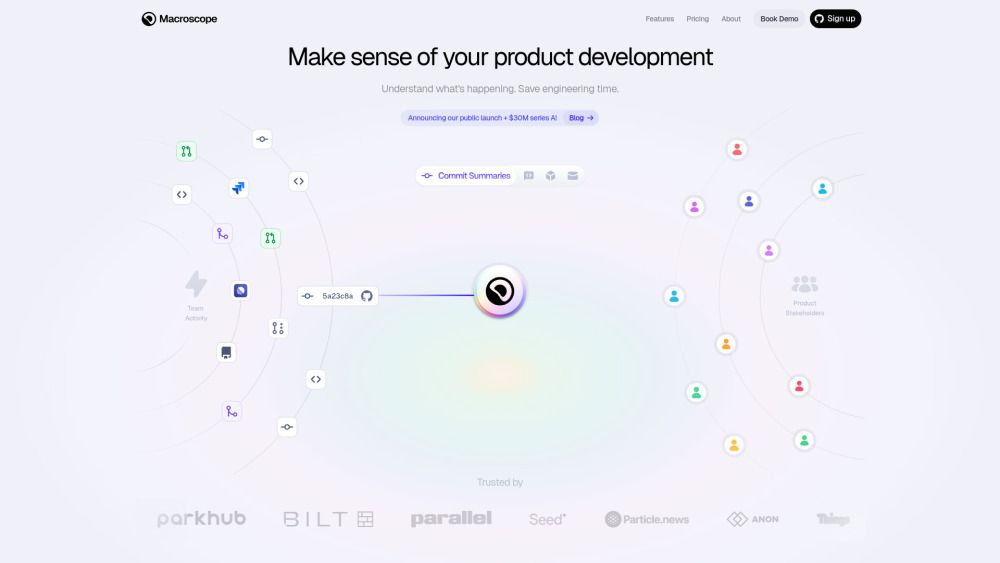
About Macroscope
What is Macroscope?
Macroscope is a powerful tool designed to enhance engineering productivity by providing deep insights into codebases. It acts as a virtual tech lead, capable of understanding complex projects and answering questions about the code instantly. This allows teams to focus on shipping products rather than getting bogged down in processes.
With Macroscope, organizations can experience significant improvements in their development workflows. It offers features that streamline code reviews, reduce troubleshooting time, and help organize project plans effectively. Users have reported that it transforms complex data into clear, actionable insights, making it easier to make informed decisions quickly.
Enhances productivity by providing instant answers about the codebase.
Improves feedback during code reviews.
Reduces time-to-root-cause in troubleshooting.
Organizes project plans and release artifacts.
Illuminates areas lacking clear documentation.
Macroscope Features
Macroscope serves as an invaluable tool for engineering teams, acting like a distinguished engineer tech lead who possesses an in-depth understanding of the codebase. It enhances productivity by allowing teams to focus on shipping products rather than getting bogged down in processes. With its ability to provide accurate commit summaries, Macroscope becomes the central hub for engineering organizations, streamlining communication and project management.
Some of the key features and capabilities of Macroscope include:
Providing useful feedback to developers during code reviews.
Reducing time-to-root-cause in troubleshooting.
Helping organize project plans and release artifacts.
Illuminating areas that lack clear documentation.
Delivering actionable insights from complex data effortlessly.
By integrating Macroscope, teams can quickly assess engineering progress and developer productivity, making it a critical time saver in product development.
Why Macroscope?
Macroscope offers significant advantages for engineering teams by enhancing productivity and alignment. It acts as a knowledgeable tech lead, providing instant answers about the codebase, which allows teams to focus on shipping products rather than getting bogged down in processes. This capability has been highlighted by various users who have experienced a transformation in their workflow.
Some of the key benefits of using Macroscope include:
Critical time savings in product development.
Useful feedback during code reviews, improving the quality of code.
Reduced time-to-root-cause in troubleshooting, leading to faster resolutions.
Enhanced organization of project plans and release artifacts.
Clear insights from complex data, facilitating smarter decision-making.
How to Use Macroscope
Getting started with Macroscope is straightforward and designed to enhance your product development process. To begin, simply install the application and integrate it with your existing codebase. Once set up, Macroscope will automatically analyze your project, providing insights that help streamline your workflow and improve team productivity.
Here are some key features and benefits of using Macroscope:
Automatic analysis of product development, saving time and effort.
Provides useful feedback during code reviews, enhancing collaboration.
Reduces time-to-root-cause in troubleshooting, making problem-solving more efficient.
Organizes project plans and release artifacts for better clarity.
Illuminates areas lacking clear documentation, improving overall project understanding.
Ready to see what Macroscope can do for you?and experience the benefits firsthand.
Key Features
How to Use
Visit the Website
Navigate to the tool's official website.
Pros & Cons
What's good
What's not good
Pricing
- 2 Week Free Trial
- Summaries for Commits, PRs, Projects
- AI Code Review
- Team Productivity Stats
- Slack, Linear, JIRA Integrations
- Everything in Teams
- Custom Contracts & DPA
- Identity Provider Integration
- SOC 2 Type II Compliance
- Priority Support
Macroscope Traffic Analysis
Alternatives to Macroscope
Studocu Global
A platform for accessing shared study materials globally.

Suno
Suno is an innovative platform that enables users to create stunning original music in seconds using artificial intelligence. With its user-friendly interface, individuals can easily craft their own masterpieces, share them with friends, and explore a diverse range of music from artists around the globe. Suno empowers creativity for everyone, from casual singers to aspiring professionals.
Jotform AI Agents
Jotform AI Agents revolutionizes customer service by enabling businesses to respond instantly to customer inquiries anytime and anywhere. With its seamless integration capabilities and user-friendly interface, it enhances operational efficiency and improves customer satisfaction. This innovative solution empowers organizations to provide timely support, ensuring they stay connected with their clients effectively.
Miro
Miro is a powerful visual workspace designed to enhance collaboration and innovation among teams. With over 100 million users across 250,000 organizations, it streamlines product development processes, accelerates time to market, and ensures that new offerings align with customer needs. Miro's integration of AI tools empowers teams to effectively strategize, design, and manage projects throughout the entire innovation lifecycle.
Lovescape AI
Create Your AI Girlfriend for Chatting

Manus
Manus is a versatile AI agent designed to transform thoughts into actions, streamlining tasks in both professional and personal settings. Its primary value lies in its ability to manage various responsibilities efficiently, allowing users to relax while it handles their to-do lists. With Manus, users can experience increased productivity and peace of mind, knowing that their tasks are being completed seamlessly.