About Dzine
What is Dzine?
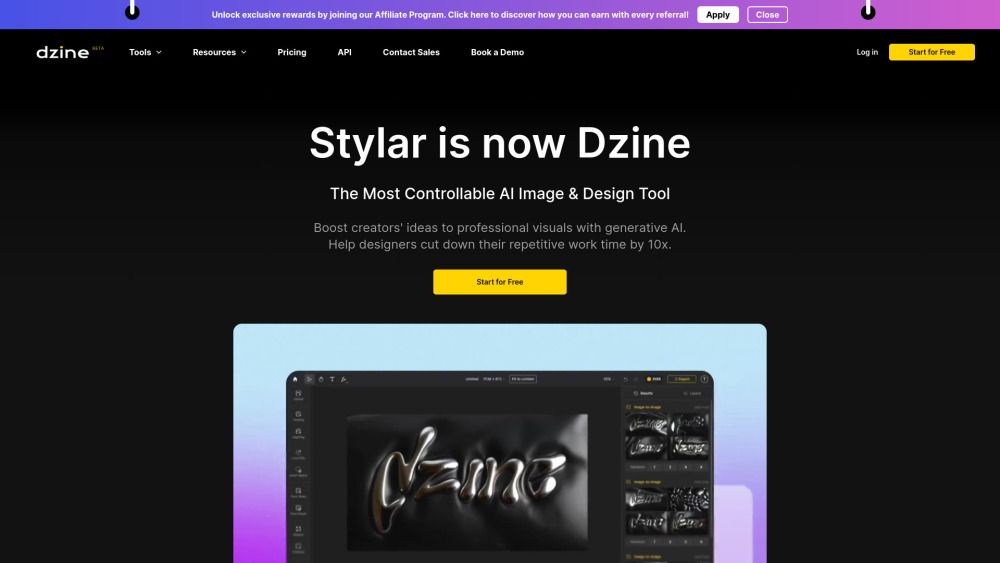
Dzine is a powerful image generation tool that offers users unparalleled control over image composition and style. One of the key features of Dzine is its predefined styles, which allow you to customize your designs without the need for complex style prompts. This makes it easy for users of all skill levels to create beautiful and professional-looking images.
Dzine also offers layering, positioning, and sketching tools for intuitive and accurate control over image content. These features make it easy to create complex compositions and achieve the exact image layout you want. Finally, Dzine has a user-friendly interface that is easy to use for all skill levels, making it accessible for both professional designers and beginners alike.
Dzine Features
Dzine is a powerful image generation tool that offers users unparalleled control over image composition and style. One of the key features of Dzine is its predefined styles, which allow you to customize your designs without the need for complex style prompts. This makes it easy for users of all skill levels to create beautiful and professional-looking images.
Dzine provides a layer-based composition board for accurate and intuitive image layout adjustment. Users can unify elements into one coherent style, generate materials into a new style while preserving the composition structure, and optimize prompts through conversation with Dzine Assistant, your design agent. Additionally, Dzine's auto-selection tool allows for easy cutout of objects as new layers, while the "Enhance" tool improves image clarity and fixes artifacts with just one click.
Unparalleled control over the composition of AI-generated images
Predefined styles for effortless design customization, no style prompts needed
Layering, positioning, and sketching for intuitive design
"Enhance" tools to address common challenges with AI-generated faces and hands
User-friendly interface for all skill levels
Why Dzine?
Dzine offers a unique value proposition that combines powerful image generation and editing capabilities, making it an essential tool for designers of all skill levels. With unparalleled control over the composition of AI-generated images, users can create complex layouts with ease. The user-friendly interface ensures that both professionals and beginners can navigate the platform effortlessly, streamlining the design process.
Some of the key benefits of using Dzine include:
Predefined styles for effortless design customization without the need for style prompts.
Layering, positioning, and sketching tools that provide intuitive control over image content.
“Enhance” tools specifically designed to tackle common challenges with AI-generated faces and hands.
Optimized prompt generation through natural language with the help of Dzine Assistant.
How to Use Dzine
To get started with Dzine, first sign up for free access, which includes 100 free credits upon registration and 30 free credits that refresh daily. This allows you to explore the platform without any initial investment. Once you're registered, familiarize yourself with the user-friendly interface that caters to all skill levels, making it easy to create stunning images.
Utilize Dzine's powerful features to enhance your design experience. You can take advantage of predefined styles for effortless customization, layer-based composition for intuitive layout adjustments, and the auto-selection tool to cut out objects as new layers. Additionally, Dzine's "Enhance" tool allows you to improve image clarity with just one click, ensuring your designs are polished and professional.
Unparalleled control over image composition
Predefined styles for easy customization
Layering and positioning tools for accurate design
One-click enhancement for image clarity
High-definition export options up to 6144px
Ready to see what Dzine can do for you?and experience the benefits firsthand.
Key Features
How to Use
Visit the Website
Navigate to the tool's official website.
Pros & Cons
What's good
What's not good
Pricing
- 32 Regular Image Credits / day
- AI Image
- Text-to-Image
- Image-to-Image
- No credit card required
- 900 Fast Image Credits / mo
- Up to 900 Images
- Watermark Removal
- 2x High Resolution Exports (JPG)
- Private generation
- 3,000 Fast Image Credits / mo
- Unlimited Regular Image Credits
- 3 Concurrent Video Jobs
- AI Image
- Instant Storyboard
- Unlimited Fast Image Credits
- 9,000 Video Credits / mo
- 12 Concurrent Image Jobs
- 60 Pro Style Storage Slots
- Commercial Use
Dzine Traffic Analysis
Frequently Asked Questions
Alternatives to Dzine
Studocu Global
A platform for accessing shared study materials globally.

Suno
Suno is an innovative platform that enables users to create stunning original music in seconds using artificial intelligence. With its user-friendly interface, individuals can easily craft their own masterpieces, share them with friends, and explore a diverse range of music from artists around the globe. Suno empowers creativity for everyone, from casual singers to aspiring professionals.
Jotform AI Agents
Jotform AI Agents revolutionizes customer service by enabling businesses to respond instantly to customer inquiries anytime and anywhere. With its seamless integration capabilities and user-friendly interface, it enhances operational efficiency and improves customer satisfaction. This innovative solution empowers organizations to provide timely support, ensuring they stay connected with their clients effectively.
Lovescape AI
Create Your AI Girlfriend for Chatting

Manus
Manus is a versatile AI agent designed to transform thoughts into actions, streamlining tasks in both professional and personal settings. Its primary value lies in its ability to manage various responsibilities efficiently, allowing users to relax while it handles their to-do lists. With Manus, users can experience increased productivity and peace of mind, knowing that their tasks are being completed seamlessly.
HealCycle
HealCycle is a comprehensive app designed to support individuals dealing with hormonal imbalances, mood swings, and symptoms of PMS or PMDD. It offers personalized symptom insights and science-backed resources, along with a 24/7 AI companion for emotional support, empowering users to take control of their health journey. With HealCycle, users can gain valuable knowledge and tools to enhance their well-being and manage their cycles effectively.