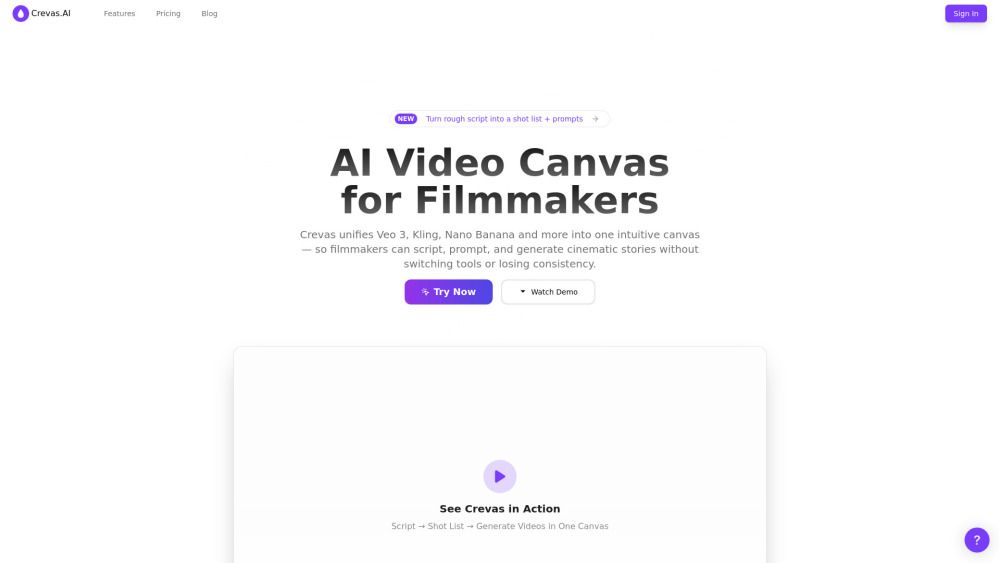
About Crevas: AI Video Figma
{"What is Crevas: AI Video Figma?":"Crevas unifies Veo 3, Kling, Nano Banana and more into one intuitive canvas — so filmmakers can script, prompt, and generate cinematic stories without switching tools or losing consistency.\n\nUnlike Google Flow, which focuses mainly on generating cinematic clips using Google’s own models, Crevas is model-agnostic and designed as a collaborative workspace. It lets creators combine multiple state-of-the-art video models side-by-side, refine prompts through AI chat, and keep shot lists and storyboards consistent across different generations.\n\nWith Crevas, you don’t just get a single pipeline — you get a flexible, Figma-like canvas where entire creative teams can experiment, compare outputs from different models, and co-create end-to-end cinematic stories.","How to use Crevas: AI Video Figma?":"Visit the Crevas.AI homepage, then click “Try Now”. On the new project page, enter or paste your script or shot list, and Crevas will generate a detailed shot list and prompts for you in the canvas. From there, you can start generating videos or images, and bring your AI-native video to life as you imagined.","Crevas: AI Video Figma's Core Features":"Parallel Video Generation: No switching tools, faster iterations. Prompt Assistant: Generate shot list and prompt in seconds and refine with AI-Chat inside canvas. Visual Collaboration: Collaborate live, decide faster.","Crevas: AI Video Figma's Use Cases":"#1 Filmmakers & Storytellers: Quickly prototype scenes, generate visuals, and experiment with different narrative styles using AI-driven prompts and shotlists.#2 Content Creators: Produce short-form content for TikTok, YouTube Shorts, and Reels with cinematic effects and AI consistency.#3 Marketing Teams: Generate campaign videos at scale, maintaining consistent style and characters across different formats.#4 Studios & Agencies: Collaborate in real time, manage multiple client projects, and deliver high-quality outputs faster.","FAQ from Crevas: AI Video Figma":"Which AI models does Crevas support? Do I need video editing skills to use Crevas? What export formats are available? Is there a free trial? How is Crevas different from other AI video generators?","Crevas: AI Video Figma Support Email & Customer service contact & Refund contact etc.":"Here is the Crevas: AI Video Figma support email for customer service: [email protected] . More Contact, visit the contact us page(mailto:[email protected])","Crevas: AI Video Figma Company":"Crevas: AI Video Figma Company name: Crevas.AI .\nCrevas: AI Video Figma Company address: .\nMore about Crevas: AI Video Figma, Please visit the about us page().","Crevas: AI Video Figma Login":"Crevas: AI Video Figma Login Link: https://crevas.ai/","Crevas: AI Video Figma Sign up":"Crevas: AI Video Figma Sign up Link:","Crevas: AI Video Figma Pricing":"Crevas: AI Video Figma Pricing Link: https://crevas.ai/#pricing"}
How to Use
Visit the Website
Navigate to the tool's official website.
Pros & Cons
What's good
What's not good
Pricing
No feature details available
No feature details available
No feature details available
No feature details available
Crevas: AI Video Figma Traffic Analysis
Alternatives to Crevas: AI Video Figma
Studocu Global
A platform for accessing shared study materials globally.

Suno
Suno is an innovative platform that enables users to create stunning original music in seconds using artificial intelligence. With its user-friendly interface, individuals can easily craft their own masterpieces, share them with friends, and explore a diverse range of music from artists around the globe. Suno empowers creativity for everyone, from casual singers to aspiring professionals.
Jotform AI Agents
Jotform AI Agents revolutionizes customer service by enabling businesses to respond instantly to customer inquiries anytime and anywhere. With its seamless integration capabilities and user-friendly interface, it enhances operational efficiency and improves customer satisfaction. This innovative solution empowers organizations to provide timely support, ensuring they stay connected with their clients effectively.
Lovescape AI
Create Your AI Girlfriend for Chatting

Manus
Manus is a versatile AI agent designed to transform thoughts into actions, streamlining tasks in both professional and personal settings. Its primary value lies in its ability to manage various responsibilities efficiently, allowing users to relax while it handles their to-do lists. With Manus, users can experience increased productivity and peace of mind, knowing that their tasks are being completed seamlessly.
HealCycle
HealCycle is a comprehensive app designed to support individuals dealing with hormonal imbalances, mood swings, and symptoms of PMS or PMDD. It offers personalized symptom insights and science-backed resources, along with a 24/7 AI companion for emotional support, empowering users to take control of their health journey. With HealCycle, users can gain valuable knowledge and tools to enhance their well-being and manage their cycles effectively.