About BPM Finder
What is BPM Finder?
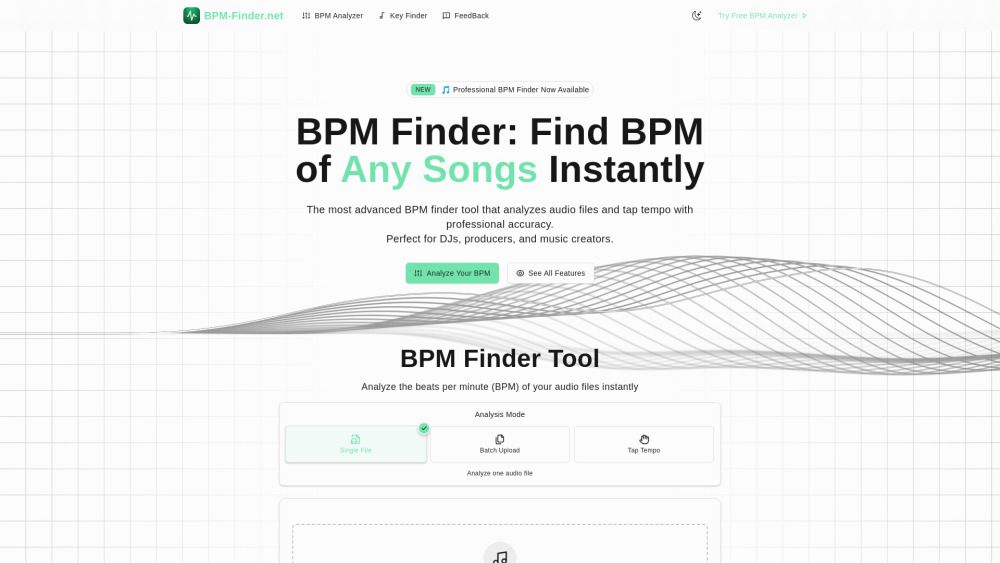
BPM Finder is an advanced tool designed for accurate BPM (Beats Per Minute) analysis of audio files. It offers four distinct modes of operation: single file analysis, batch processing, real-time microphone input, and manual tap tempo. This versatility allows users to find the tempo of any song instantly, making it an essential resource for DJs, music producers, and enthusiasts alike.
All features of BPM Finder are available in the free version, ensuring that users can utilize the tool without limitations. The application supports various audio formats, including MP3, WAV, FLAC, AAC, OGG, and M4A, making it compatible with a wide range of audio files.
Single File BPM Analysis
Batch Processing for Multiple Files
Real-time Microphone BPM Detection
Manual Tap Tempo Mode
Key Finder Tool
Tempo Change without Pitch Shift
CSV Export and Professional Integration
Client-side Privacy Protection
BPM Finder Features
BPM Finder is the most advanced BPM analysis tool that detects accurate tempo from any audio source with four powerful analysis modes. These modes include single file analysis, batch processing, real-time microphone input, and manual tap tempo, allowing users to choose the perfect method for their workflow. The tool utilizes professional algorithms to provide precise BPM analysis, complete with confidence scoring and manual adjustment tools.
Key features of BPM Finder include:
Universal Compatibility: Works with any audio file type, supporting formats like MP3, WAV, FLAC, AAC, OGG, and M4A (up to 50MB each).
Complete BPM Solution: Four powerful analysis modes cover every BPM detection scenario, from uploaded files to live microphone input.
Professional BPM Detection: Industry-standard algorithms ensure precise tempo analysis with confidence scoring and manual adjustments.
Privacy Protection: Your files never leave your device, as audio data is processed directly in your browser.
Free to Use: No hidden fees or registration required, making it accessible anytime, anywhere.
Why BPM Finder?
BPM Finder offers a range of benefits that make it an essential tool for music professionals. With its industry-leading BPM detection capabilities, users can expect professional-grade accuracy in their audio analysis. The tool supports various modes, including single file analysis, batch processing, real-time microphone input, and manual tap tempo, ensuring versatility for different user needs.
Some key advantages of using BPM Finder include:
Comprehensive analysis with no limitations in the free version.
Integration capabilities with popular music software for seamless workflow.
Customizable features that cater to both beginners and experienced users.
How to Use BPM Finder
BPM Finder is designed to provide comprehensive audio analysis with various modes, including single file analysis, batch processing, real-time microphone input, and manual tap tempo. To get started with BPM Finder, simply download the tool and follow the step-by-step guide available on the platform. This guide will walk you through the features and functionalities, ensuring you can make the most of your audio analysis experience.
Some key features of BPM Finder include:
Single file analysis for precise BPM detection.
Batch processing to analyze multiple files simultaneously.
Real-time microphone input for live BPM tracking.
Manual tap tempo for custom BPM measurements.
Ready to see what BPM Finder can do for you?and experience the benefits firsthand.
How to Use
Visit the Website
Navigate to the tool's official website.
Pros & Cons
What's good
What's not good
Pricing
- Basic BPM & key detection
- File upload analysis
- Manual tap tempo
- 5 URL analyses per day
- Standard audio formats
- Unlimited analysis
- Advanced AI features
- Batch processing
- Music structure analysis
- Energy & mood detection
- Export to DJ software
- Analysis history
- Priority support
- DAW plugin access
BPM Finder Traffic Analysis
Alternatives to BPM Finder
Studocu Global
A platform for accessing shared study materials globally.

Suno
Suno is an innovative platform that enables users to create stunning original music in seconds using artificial intelligence. With its user-friendly interface, individuals can easily craft their own masterpieces, share them with friends, and explore a diverse range of music from artists around the globe. Suno empowers creativity for everyone, from casual singers to aspiring professionals.
Jotform AI Agents
Jotform AI Agents revolutionizes customer service by enabling businesses to respond instantly to customer inquiries anytime and anywhere. With its seamless integration capabilities and user-friendly interface, it enhances operational efficiency and improves customer satisfaction. This innovative solution empowers organizations to provide timely support, ensuring they stay connected with their clients effectively.
Lovescape AI
Create Your AI Girlfriend for Chatting

Manus
Manus is a versatile AI agent designed to transform thoughts into actions, streamlining tasks in both professional and personal settings. Its primary value lies in its ability to manage various responsibilities efficiently, allowing users to relax while it handles their to-do lists. With Manus, users can experience increased productivity and peace of mind, knowing that their tasks are being completed seamlessly.
HealCycle
HealCycle is a comprehensive app designed to support individuals dealing with hormonal imbalances, mood swings, and symptoms of PMS or PMDD. It offers personalized symptom insights and science-backed resources, along with a 24/7 AI companion for emotional support, empowering users to take control of their health journey. With HealCycle, users can gain valuable knowledge and tools to enhance their well-being and manage their cycles effectively.