About AudioConvert
What is AudioConvert?
AudioConvert is a powerful audio to text conversion tool that leverages advanced AI technology to provide fast and accurate transcription services. Designed to streamline your workflow, it transforms audio files into text in just a few minutes, allowing you to focus on your content, research, or analysis without the burden of manual transcription.
With AudioConvert, you can expect high-accuracy speech-to-text conversion that captures complex terminology and distinguishes between multiple speakers. This ensures that your transcripts are reliable and organized, making it easier to follow conversations, interviews, and meetings. Additionally, the service is currently free and offers premium features such as multi-speaker identification and various export formats, making it accessible to everyone.
Faster audio to text conversion, saving you valuable time.
High-accuracy transcripts with speaker labels and timestamps.
Multiple export formats including TXT, DOCX, and SRT.
Automatic detection of different speakers in your audio.
Transform audio into a searchable library of information.
AudioConvert Features
AudioConvert offers a powerful Audio to Text Converter that significantly enhances productivity by transforming audio files into accurate text quickly and efficiently. With features like high-accuracy speech recognition, the service captures complex terminology and distinguishes between multiple speakers, ensuring reliable transcripts that save users from extensive corrections. The platform is designed for speed and simplicity, allowing users to upload audio files in various formats and receive their transcripts in just a few minutes.
Key features of AudioConvert include:
Industry-Leading AI Engine for superior transcription quality.
Multi-Speaker Identification for organized transcripts by speaker.
Multiple Export Formats including TXT, DOCX, and SRT for versatile use.
Precise Timestamps to easily locate specific moments in transcripts.
Why AudioConvert?
AudioConvert offers a range of benefits that can significantly enhance your productivity and streamline your workflow. With its fast audio to text conversion, what once took hours of manual transcription can now be completed in just a few minutes, allowing you to focus on your core tasks such as content creation, research, or analysis.
Additionally, AudioConvert provides high-accuracy speech to text capabilities, ensuring that you receive reliable transcripts that capture complex terminology and distinguish between speakers. This not only saves you from the hassle of endless corrections but also transforms your audio into a searchable library of information, boosting your content's SEO and making it accessible to a wider audience.
Faster audio to text conversion, saving you valuable time.
High-accuracy transcripts with speaker identification.
Multiple export formats for flexibility in your workflow.
Free access to premium features, making professional-grade tools available to everyone.
How to Use AudioConvert
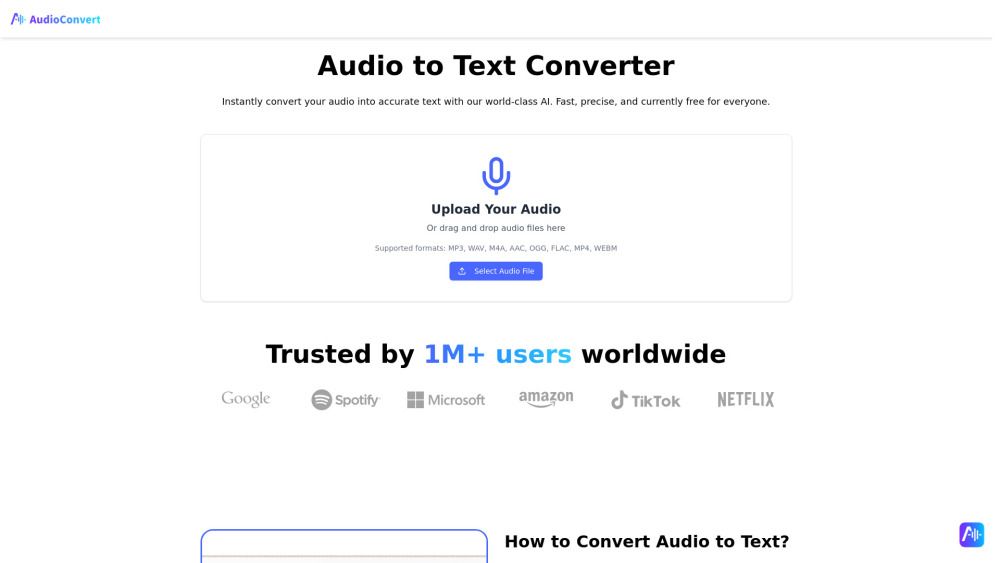
Getting started with AudioConvert is simple and efficient. To convert your audio to text, follow these easy steps: First, upload your audio file by dragging and dropping it into the designated area or by pasting a social media link. Supported formats include MP3, WAV, M4A, AAC, OGG, FLAC, MP4, and WEBM. Next, our advanced AI will automatically transcribe the audio, detecting different speakers and ensuring high accuracy. Finally, review the generated transcript and download it in your preferred format, such as TXT, DOCX, or SRT.
With AudioConvert, you can unlock a range of powerful features that enhance your transcription experience:
High-Accuracy Speech to Text: Enjoy near-human levels of accuracy, capturing complex terminology and distinguishing between speakers.
Multi-Speaker Identification: Automatically label different speakers in your transcripts for clarity.
Multiple Export Formats: Choose from various formats to suit your workflow needs.
Precise Timestamps: Easily locate specific moments in your transcripts with accurate timestamps.
Ready to see what AudioConvert can do for you?and experience the benefits firsthand.
Key Features
How to Use
Visit the Website
Navigate to the tool's official website.
Pros & Cons
What's good
What's not good
Pricing
No feature details available
AudioConvert Traffic Analysis
Frequently Asked Questions
Alternatives to AudioConvert
Studocu Global
A platform for accessing shared study materials globally.

Suno
Suno is an innovative platform that enables users to create stunning original music in seconds using artificial intelligence. With its user-friendly interface, individuals can easily craft their own masterpieces, share them with friends, and explore a diverse range of music from artists around the globe. Suno empowers creativity for everyone, from casual singers to aspiring professionals.
Jotform AI Agents
Jotform AI Agents revolutionizes customer service by enabling businesses to respond instantly to customer inquiries anytime and anywhere. With its seamless integration capabilities and user-friendly interface, it enhances operational efficiency and improves customer satisfaction. This innovative solution empowers organizations to provide timely support, ensuring they stay connected with their clients effectively.
Lovescape AI
Create Your AI Girlfriend for Chatting

Manus
Manus is a versatile AI agent designed to transform thoughts into actions, streamlining tasks in both professional and personal settings. Its primary value lies in its ability to manage various responsibilities efficiently, allowing users to relax while it handles their to-do lists. With Manus, users can experience increased productivity and peace of mind, knowing that their tasks are being completed seamlessly.
HealCycle
HealCycle is a comprehensive app designed to support individuals dealing with hormonal imbalances, mood swings, and symptoms of PMS or PMDD. It offers personalized symptom insights and science-backed resources, along with a 24/7 AI companion for emotional support, empowering users to take control of their health journey. With HealCycle, users can gain valuable knowledge and tools to enhance their well-being and manage their cycles effectively.