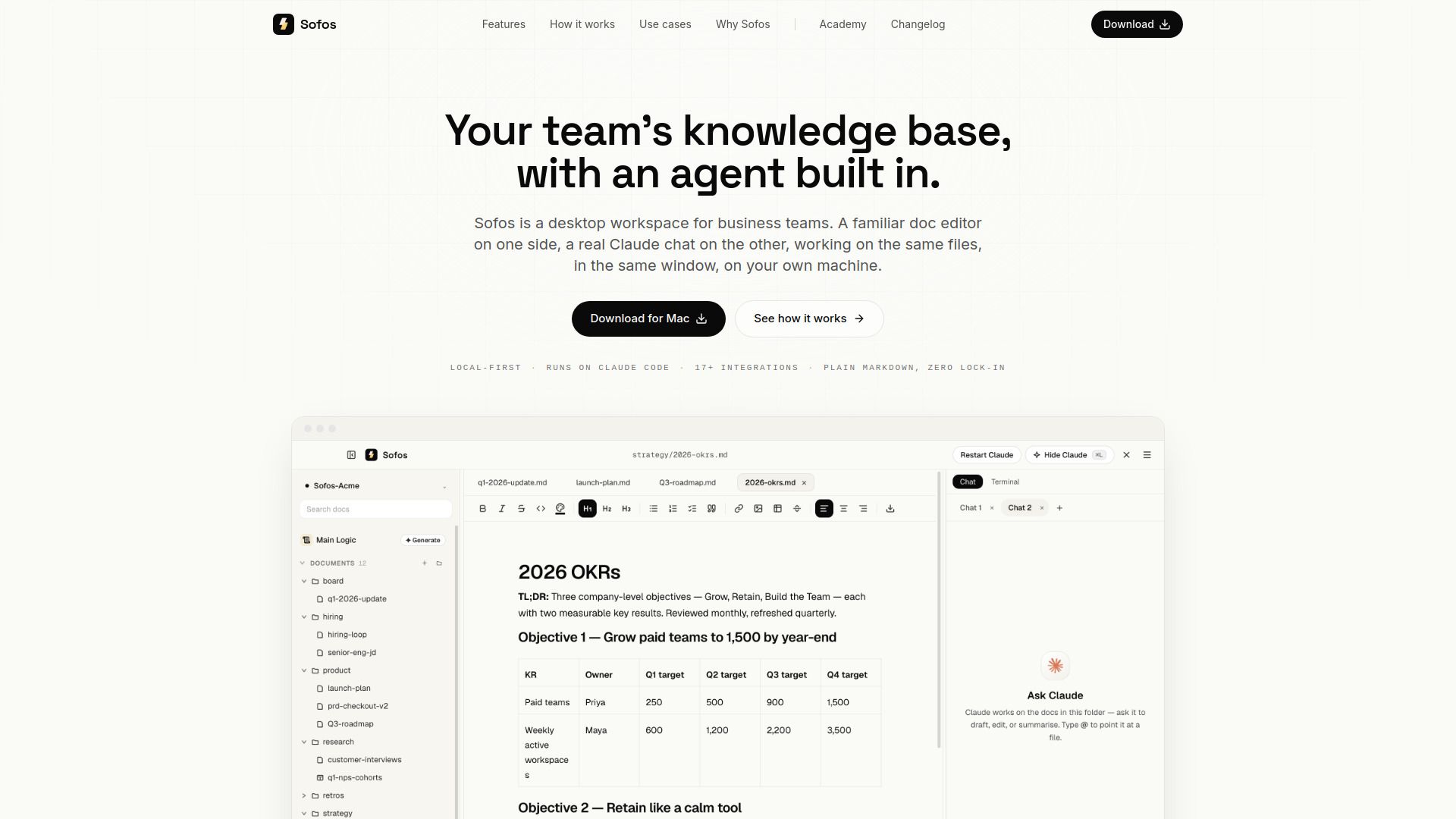
About Sofos
{"What is Sofos?":"Local-first AI workspace for creating, editing, and managing business documents.","How to use Sofos?":"Download Sofos for Mac, install it, and point it to an existing or new folder. Write and edit documents in the Markdown editor, then press Command-L to open the Claude chat. Ask Sofos to draft, revise, summarize, or retrieve information from connected tools. Review proposed changes before applying them, and connect a GitHub repository when you want to share work with your team.","What operating system does Sofos support?":"The provided download information is for macOS, with separate versions for Apple Silicon and Intel Macs.","Does Sofos require a terminal?":"Sofos is designed to let business users plan, edit, and ship documents without opening a terminal.","What types of files can Sofos work with?":"Sofos supports Markdown, HTML, PDF, CSV, and other file types.","How does the AI agent work?":"Users open the Claude chat with Command-L and ask it in plain English to read documents, edit files, retrieve information from connected apps, or create outputs.","Can users review AI changes before they are applied?":"Yes. Sofos shows proposed changes for review, and Plan mode prevents changes from being applied until they are approved.","Does Sofos store files locally?":"Yes. Sofos is local-first and works with files stored on the user's own machine.","How can teams share a Sofos workspace?":"Teams can connect a GitHub repository and review, approve, and publish changes through the workspace.","Does Sofos have published pricing?":"No pricing information is provided in the supplied website content."}
How to Use
Visit the Website
Navigate to the tool's official website.