About Rankly
What is Rankly?
Rankly is a versatile online ranking tool that allows users to create and share rankings on a wide variety of topics. Whether you're interested in games, movies, music, sports, or everyday choices, Rankly provides a flexible platform to customize your rankings according to your preferences.
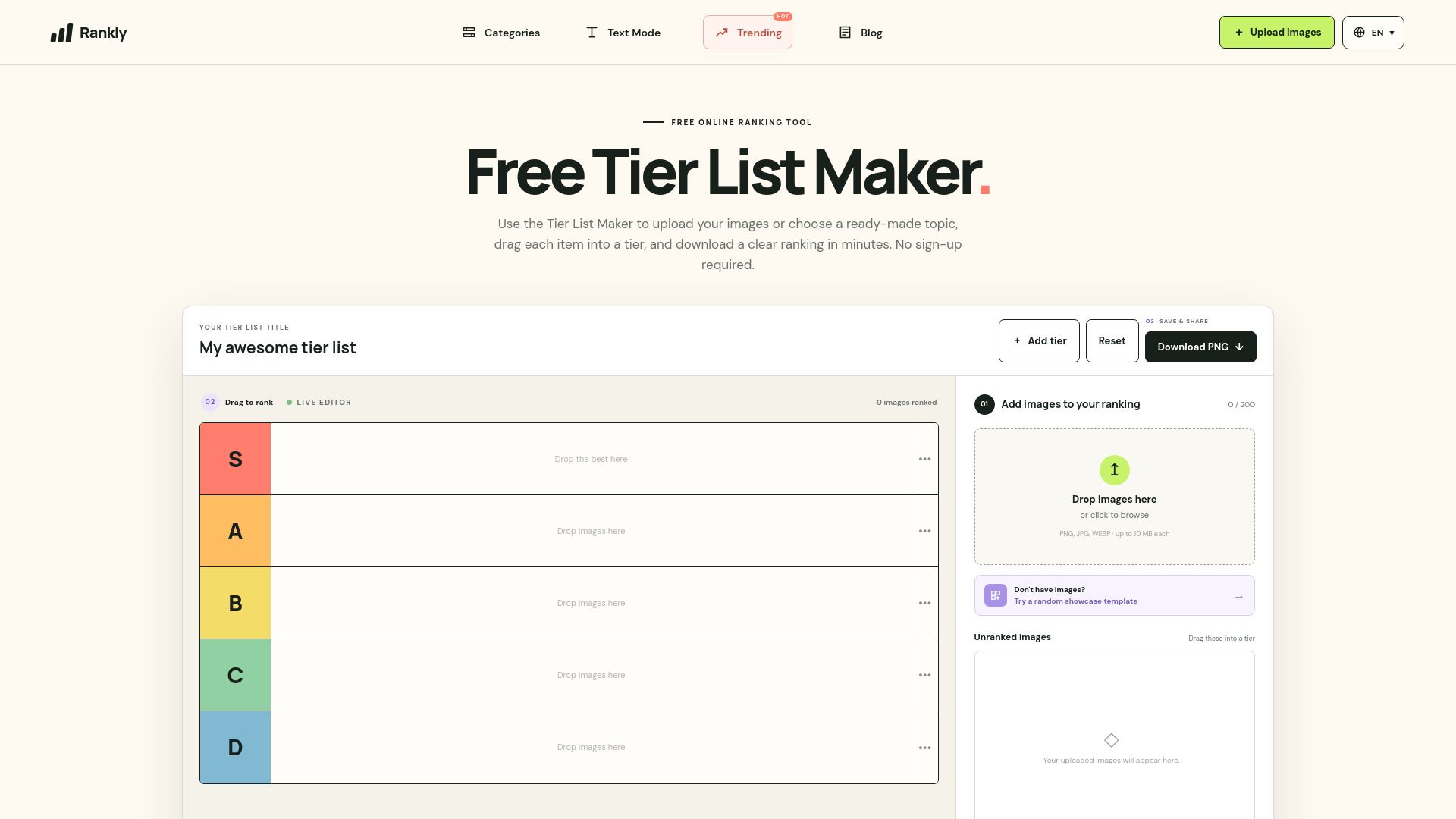
With Rankly, you can easily upload your own images, utilize templates for popular fandoms, and quickly drag and drop items to create your ideal ranking. Once you're satisfied with your list, you can export it as a PNG for easy sharing. Key features include:
Free custom ranking with the ability to upload up to 200 images.
Access to templates for popular fandoms, making it easy to start ranking.
Fast and intuitive drag-and-drop interface for quick adjustments and exports.
Rankly Features
Rankly is a versatile ranking tool designed to help users create custom rankings across a variety of topics, including games, movies, music, sports, food, and more. It allows users to choose a topic, set the scope, and personalize their rankings, making it suitable for comparing characters, abilities, performances, and everyday choices.
Key features of Rankly include:
Free custom ranking with the ability to upload up to 200 images in JPG, PNG, or WebP formats.
Templates for popular fandoms, such as the complete Pokémon Tier List Maker, to help users get started quickly.
Fast drag-and-drop functionality for ranking items, renaming tiers, and exporting the finished board as a PNG image.
Why Rankly?
Rankly offers a versatile and user-friendly ranking tool that allows users to create custom rankings across a wide range of topics, including games, movies, music, and more. This flexibility makes it an ideal choice for anyone looking to express their opinions and preferences in a structured format.
Some of the key benefits of using Rankly include:
Free to use with no sign-up required, allowing for immediate access to the ranking tool.
Customizable options to upload your own images and create unique rankings.
A variety of templates available for popular fandoms, making it easy to get started.
Quick and efficient drag-and-drop functionality for organizing items and exporting finished rankings as PNGs.
How to Use Rankly
To get started with Rankly's Tier List Maker, simply upload your images or choose from a variety of ready-made templates. The process is straightforward: select up to 100 images from your device, drag and rank them into tiers, and then download your finished tier list as a PNG file. This allows you to create a personalized ranking quickly and easily.
Here are some key features to help you make the most of your experience:
Free custom ranking: Upload your own JPG, PNG, or WebP images and start ranking immediately.
Templates for popular fandoms: Access complete tier list templates for games, movies, music, and more.
Fast drag, rank, and export: Easily rearrange items, rename tiers, and export your final ranking.
Ready to see what Rankly can do for you?and experience the benefits firsthand.
Key Features
How to Use
Visit the Website
Navigate to the tool's official website.
Pros & Cons
What's good
What's not good
Pricing
- No sign-up required
- Upload images and arrange them
- Download results as PNG
- Process images locally in your browser
- Customize tier names