About Image To Prompts - io
What is Image To Prompts - io?
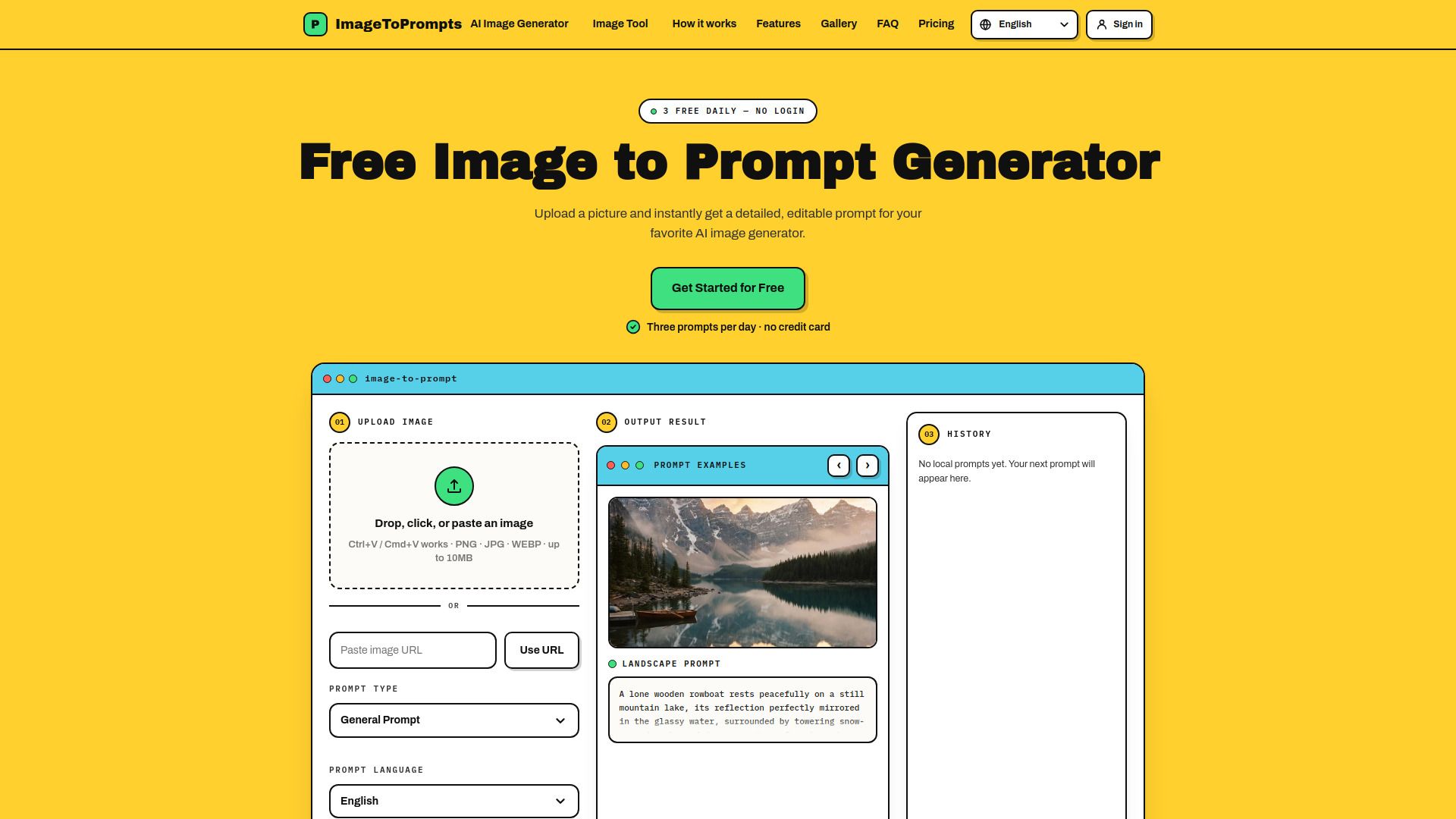
ImageToPrompts is a practical image-to-prompt workspace designed to assist artists, designers, and curious creators in transforming reference images into editable prompts for AI image generators. By allowing users to upload an image or paste an image URL, the tool analyzes the visual details of the image, such as camera position, negative space, object counts, lighting, texture, and visual style, and combines them into a usable prompt.
The homepage of ImageToPrompts generates a natural-language prompt that users can either copy or send directly to the AI Image Generator. This functionality enables users to add reference images and choose output controls, enhancing their creative process. The service offers free access, allowing users to create up to three prompt analyses per UTC day without the need for an account, ensuring that the tool remains accessible to genuine visitors.
Image To Prompts - io Features
Image To Prompts is a practical tool designed to assist artists, designers, and creators in transforming reference images into editable prompts for AI image generators. By analyzing the intricate details of an uploaded image, such as camera position, lighting, and visual style, the tool generates a natural-language prompt that can be directly utilized in various AI image creation tools.
The functionality of Image To Prompts includes the ability to upload images or paste image URLs, with support for formats like PNG, JPG, and WEBP. Users can create up to three prompt analyses per UTC day without needing an account, ensuring accessibility while protecting against automated abuse. The generated prompts are clear and compatible with most modern AI image generators, allowing for seamless integration into creative workflows.
Editable natural-language prompts generated from uploaded images.
Support for multiple image formats (PNG, JPG, WEBP).
Free access with a limit of three prompts per day without an account.
Direct integration with AI image generators.
No storage or sharing of uploaded images; privacy maintained.
Why Image To Prompts - io?
ImageToPrompts offers a unique value proposition for artists, designers, and creators by transforming reference images into editable prompts for AI image generators. This tool allows users to capture intricate details such as camera position, lighting, and visual style, which are often overlooked in simple captions. By utilizing a vision model, the platform generates comprehensive prompts that enhance the creative process.
Some of the key benefits of using ImageToPrompts include:
Ability to generate detailed prompts from images, improving the accuracy of AI-generated content.
Free access to create three prompt analyses per day, making it accessible for casual users.
Editable prompts that allow for customization and refinement before use.
Support for various output controls and reference images to tailor the generation process.
How to Use Image To Prompts - io
Getting started with ImageToPrompts is simple and user-friendly. To begin, you can upload an image directly or paste an image URL to generate detailed, editable prompts for your favorite AI image generators. The tool allows you to create up to three prompt analyses per UTC day without needing to create an account, making it accessible for everyone.
Once you upload your image, the tool will analyze its details and produce a natural-language prompt that you can copy or send directly to an AI image generator. This prompt can be edited to better suit your needs, ensuring that you have full control over the output. Here are some key features to help you get started:
Image upload and URL input support
Detailed prompt generation for AI image tools
Editable generated prompts for customization
Ready to see what Image To Prompts - io can do for you?and experience the benefits firsthand.
Key Features
How to Use
Visit the Website
Navigate to the tool's official website.
Pros & Cons
What's good
What's not good
Pricing
- 250 permanent credits
- Roughly 125 reverse prompts
- Roughly 125 GPT Image 2 (Low) generations
- 1000 permanent credits
- Roughly 500 reverse prompts
- Roughly 500 GPT Image 2 (Low) generations
- Save 38%
- 3000 permanent credits
- Roughly 1500 reverse prompts
- Roughly 1500 GPT Image 2 (Low) generations
- Save 58%