About Grok Image 2.0
What is Grok Image 2.0?
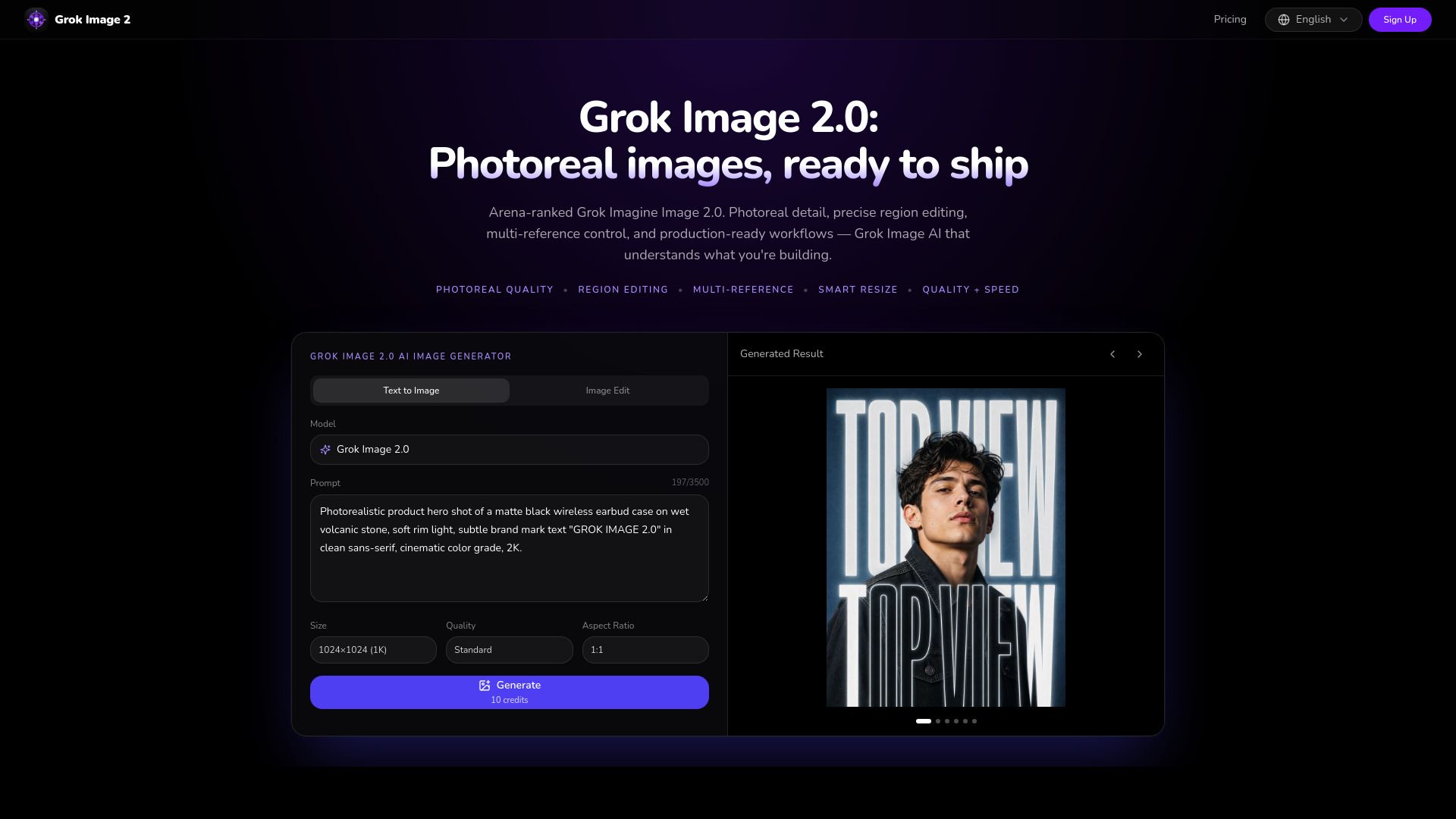
Grok Image 2.0, also known as Grok Imagine 2.0, is an advanced AI image generator designed to create photorealistic images with exceptional detail and precision. It offers a range of features that cater to various creative needs, making it suitable for everything from concept art to polished brand assets. The platform emphasizes production-ready workflows, allowing users to generate high-quality images quickly and efficiently.
Key features of Grok Image 2.0 include:
Photoreal quality images
Precise region editing capabilities
Multi-reference control for enhanced creativity
Smart resize options for different formats
High quality and speed in image generation
Grok Image 2.0 Features
Grok Image 2.0 is designed to transform concepts into polished brand assets rapidly, allowing users to generate high-quality images from a single prompt. This innovative image generator supports a variety of creative applications, enabling users to create everything from game scenes to lifestyle product images without the need for complex engines or plugins.
Key features and capabilities of Grok Image 2.0 include:
Full game scene rendering in one prompt, including protagonist, environment, weather, and HUD text.
Multi-reference editing for product photos, allowing users to create lifestyle scenes and export transparent cutouts.
High-fidelity native output with crisp 1K–2K+ assets, ensuring detail in textures, lighting, and edges suitable for ads and packaging.
Support for various aspect ratios, including 1:1 for social media feeds and 16:9 for wider displays.
Why Grok Image 2.0?
Grok Image 2.0 offers a range of benefits that make it an essential tool for creative professionals. With its ability to generate photorealistic images and polished brand assets in seconds, users can streamline their workflow and enhance productivity. The platform supports precise region editing and multi-reference control, allowing for tailored outputs that meet specific project needs.
Some key advantages of using Grok Image 2.0 include:
High-fidelity native output with crisp 1K–2K+ assets.
Quick drafts to print-ready masterpieces, ensuring every pixel is intentional.
Support for various aspect ratios, making it versatile for different media.
Smart resize features for easy adaptation to different formats.
Production-ready workflows that facilitate seamless integration into existing processes.
Learn more and.
Key Features
How to Use
Visit the Website
Navigate to the tool's official website.
Pros & Cons
What's good
What's not good
Pricing
- 1K Standard images per year
- 13,600 credits
- Text-to-image & image edit
- Private generations
- Unlimited downloads
- 1K Standard images per year
- 110,700 credits
- Text-to-image & image edit
- Commercial license
- Priority support
- 1K Standard images per year
- 110,700 credits
- Text-to-image & image edit
- Commercial license
- Priority support
- 1K Standard images per year
- 110,700 credits
- Text-to-image & image edit
- Commercial license
- Priority support