
About GPT Image 2.5
What is GPT Image 2.5?
GPT Image 2.5 is an advanced image generation and editing tool that allows users to create and modify images directly in their web browser. Released on September 8, 2026, it offers a range of features designed to enhance the creative process, including the ability to use prompt examples and flexible aspect ratios. Users can generate high-quality images for various applications, from product photos to artistic visuals.
Key features of GPT Image 2.5 include:
Text-to-image generation capabilities
Reference-image editing with natural-language instructions
Support for both GPT Image 2 and GPT Image 2.5 generation
Preset and custom aspect ratios ranging from 1:3 to 3:1
Automatic, preset, and custom dimensions for images
Six quality options to choose from for optimal results
GPT Image 2.5 Features
GPT Image 2.5 is a powerful multimedia application designed for creating and editing images directly in your web browser. It offers a range of features that enhance the user experience, allowing for both text-to-image generation and reference-image editing using natural-language instructions. Users can easily manipulate images with flexible aspect ratios and customizable dimensions, ensuring that the output meets their specific needs.
The capabilities of GPT Image 2.5 include:
Text-to-image generation
Reference-image editing with natural-language instructions
Support for preset and custom aspect ratios ranging from 1:3 to 3:1
Automatic, preset, and custom dimensions
Six quality options for image generation
Why GPT Image 2.5?
GPT Image 2.5 offers a range of benefits that make it an essential tool for anyone looking to create high-quality images efficiently. With its advanced text-to-image generation capabilities and reference-image editing, users can produce stunning visuals tailored to their specific needs. The flexibility in aspect ratios and dimensions allows for a wide variety of applications, from product photos to campaign visuals.
Some key advantages of using GPT Image 2.5 include:
Text-to-image generation for quick and easy visual creation.
Reference-image editing with natural-language instructions for intuitive use.
Support for preset and custom aspect ratios ranging from 1:3 to 3:1.
Multiple quality options to suit different project requirements.
Automatic, preset, and custom dimensions for tailored outputs.
How to Use GPT Image 2.5
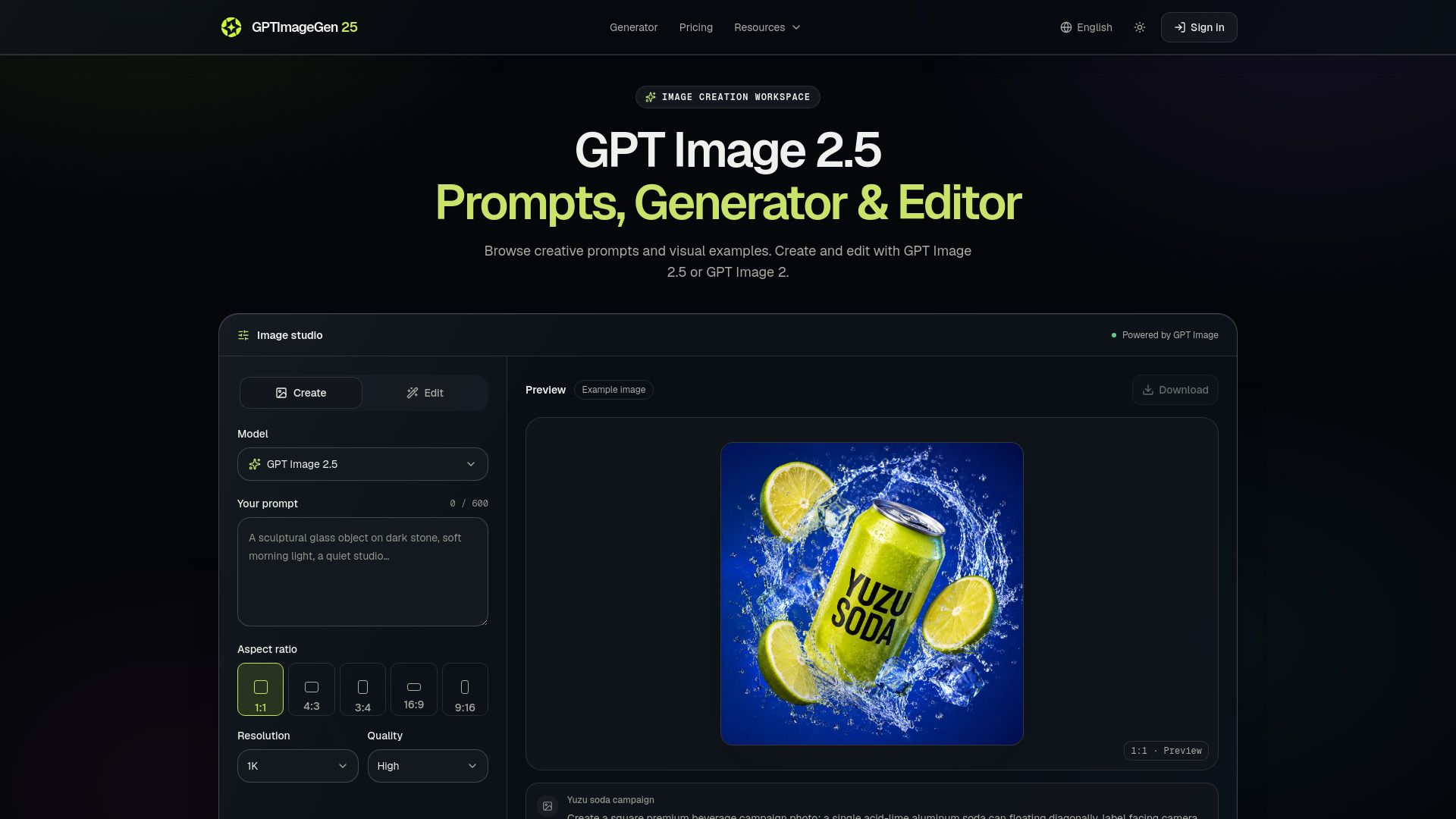
To get started with GPT Image 2.5, first, select the "Create" option and choose GPT Image 2.5. You will then need to describe the subject, scene, style, composition, lighting, and any constraints in up to 32,000 characters. After that, choose your desired aspect ratio, resolution, and quality level before clicking on "Generate image." Make sure to sign in when prompted, as your workspace will save your prompt and settings for future use.
Once the image is generated, you can review the result and make adjustments by changing one instruction if needed. Finally, download the version you want to keep. This process allows for a flexible and creative approach to image generation.
Text-to-image generation
Reference-image editing with natural-language instructions
Preset and custom aspect ratios from 1:3 to 3:1
Automatic, preset, and custom dimensions
Six quality options for GPT Image 2.5
Ready to see what GPT Image 2.5 can do for you?and experience the benefits firsthand.
Key Features
How to Use
Visit the Website
Navigate to the tool's official website.
Pros & Cons
What's good
What's not good
Pricing
- 500 credits every month
- GPT Image generation and editing
- All supported resolutions
- Commercial projects
- 1,000 credits every month
- GPT Image generation and editing
- All supported resolutions
- Priority generation capacity
- 3,200 credits every month
- GPT Image generation and editing
- All supported resolutions
- High-volume production capacity
- 10,000 credits every month
- GPT Image generation and editing
- All supported resolutions
- Maximum production capacity
- 1,000 credits in one purchase
- Credits remain valid for one year
- No recurring subscription