About 3DMaker
What is 3DMaker?
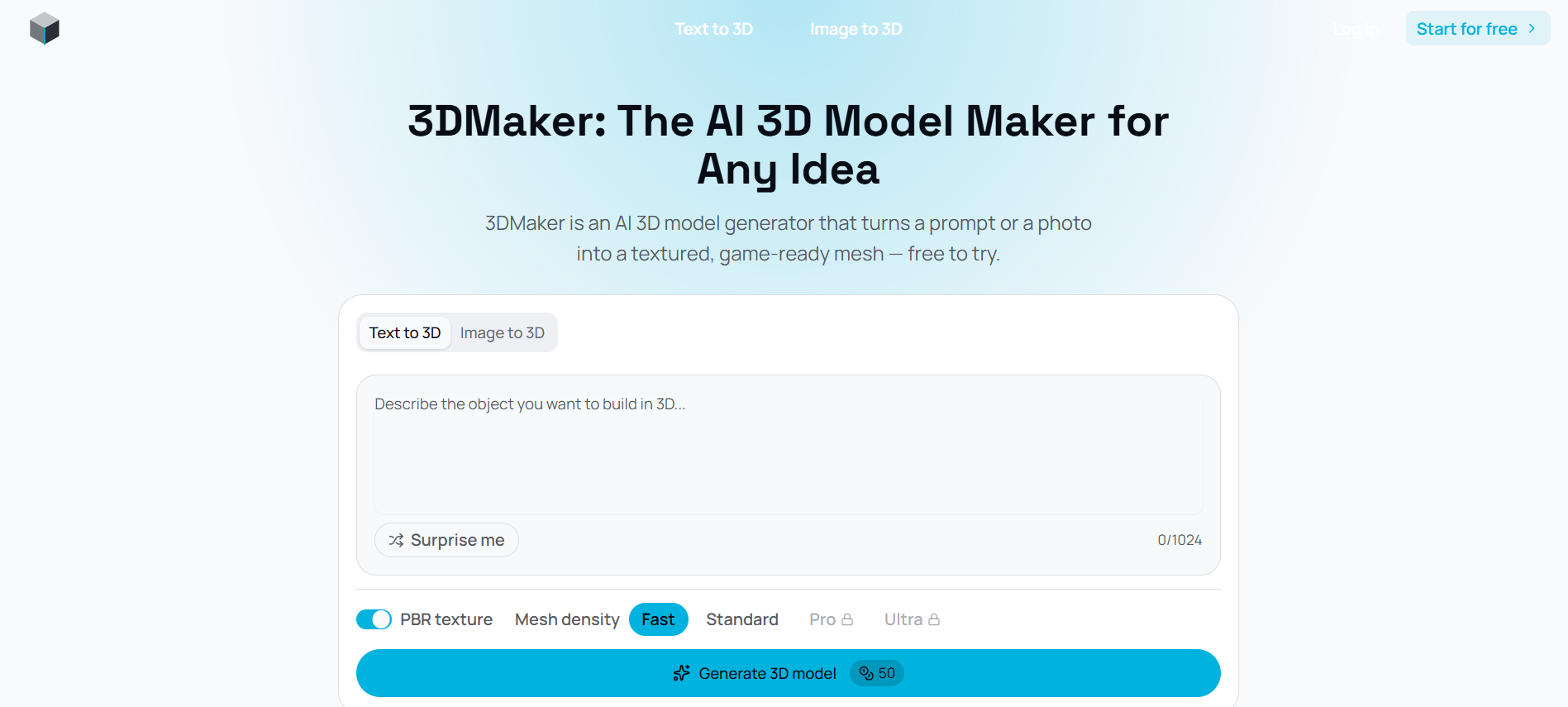
3DMaker is an innovative AI-powered 3D model generator that allows users to create detailed 3D models effortlessly, regardless of their prior modeling experience. The platform simplifies the modeling process into three straightforward steps: users can either describe their idea in text or upload a reference photo, after which the AI reconstructs the geometry and applies PBR textures automatically. This results in a textured, game-ready mesh that can be easily exported for use in various applications.
Key features of 3DMaker include:
Two input methods: Describe your idea in words or upload a single reference photo.
Fast generation times, typically between 10 to 120 seconds from prompt or photo to finished model.
Four mesh density levels, allowing users to choose between quick drafts and ultra-detailed models.
Seamless export options to popular platforms like Blender, Unity, and Unreal Engine without the need for additional conversion steps.
3DMaker Features
3DMaker is an innovative AI 3D model generator that allows users to create detailed 3D models effortlessly, regardless of their prior modeling experience. The process is streamlined into three simple steps: users can either describe their idea in words or upload a reference photo, after which the AI reconstructs the geometry and applies PBR textures automatically. The resulting model can be previewed interactively before being downloaded for use in various applications such as Blender, Unity, and Unreal Engine.
Key features and capabilities of 3DMaker include:
Two input methods: text prompts or single reference photos.
Fast generation times, typically between 10 to 120 seconds.
Four mesh density levels, ranging from Fast drafts to Ultra detail.
Game-ready, textured outputs suitable for various applications.
Automatic refunds for failed generations, allowing users to refine their prompts or images.
Why 3DMaker?
3DMaker offers a revolutionary approach to 3D modeling, allowing users to create high-quality, game-ready meshes without the need for extensive CAD software knowledge or 3D modeling experience. This accessibility opens up opportunities for a wide range of users, from hobbyists to professionals, to bring their ideas to life effortlessly.
Some of the key benefits of using 3DMaker include:
Intuitive input methods: Users can describe their ideas in words or upload a single photo, making the process flexible and user-friendly.
Quick generation: The AI model generator can produce usable drafts in seconds, allowing for rapid prototyping and iteration.
High-quality outputs: Every generated model comes with physically based materials and is ready for export to popular platforms like Blender and Unity.
Customizable detail levels: Users can choose from different mesh densities to suit their project needs, from quick concepts to detailed production assets.
How to Use 3DMaker
Getting started with 3DMaker is simple and requires no prior 3D modeling experience. The process is streamlined into three easy steps, allowing users to create 3D models quickly and efficiently. First, you can either describe your idea in a text prompt or upload a reference photo in formats like PNG, JPG, or WEBP. This flexibility ensures that you can start your project in a way that suits your needs best.
Once you've provided your input, 3DMaker's AI takes over to build the mesh. It reconstructs the geometry and applies PBR textures automatically, presenting the result in an interactive preview panel. Finally, you can download your finished model in GLB format, ready to be used in various applications such as Blender, Unity, or Unreal Engine, without any conversion steps in between.
Fast and intuitive process: Complete your model in as little as 10-120 seconds.
Multiple input methods: Start with either a text description or a reference photo.
No CAD software or prior experience required: Perfect for beginners and professionals alike.
Export directly to popular 3D applications: Seamlessly integrate your models into your projects.
Ready to see what 3DMaker can do for you?and experience the benefits firsthand.
Key Features
How to Use
Visit the Website
Navigate to the tool's official website.
Pros & Cons
What's good
What's not good
Pricing
- 25 credits/month
- Text-to-Image generation
- Image-to-Image generation
- All Models Access
- 750 credits/month
- All features in Free, and:
- Additional features not specified
- All features in Basic, and:
- Additional features not specified
- 450 Videos
- 12 credits/10s
- No Watermark
- Commercial License Included
- 1350 Videos
- 24 credits/10s
- Early Access to New Features
- Unlimited Storage